
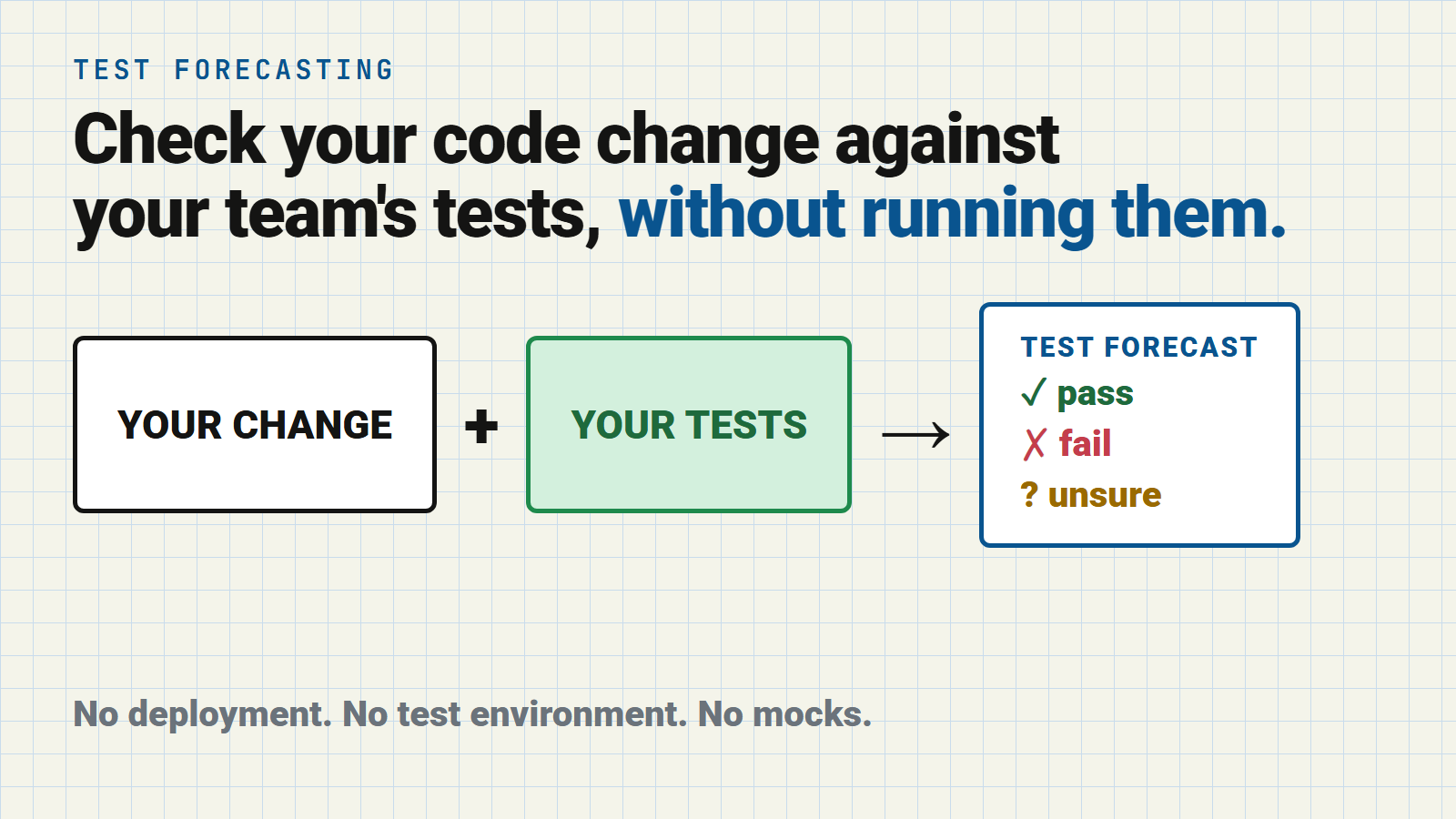
Check your code change against your team’s tests, without running them.
Test forecasting is regression testing without test execution. AI reads your existing tests and forecasts the results you’ll see with your code change. No deployment, no test environment, no mocks.
What you get back is a test forecast. For each test your change affects, it says pass, fail or unsure, and gives the reason.
The problem it starts from
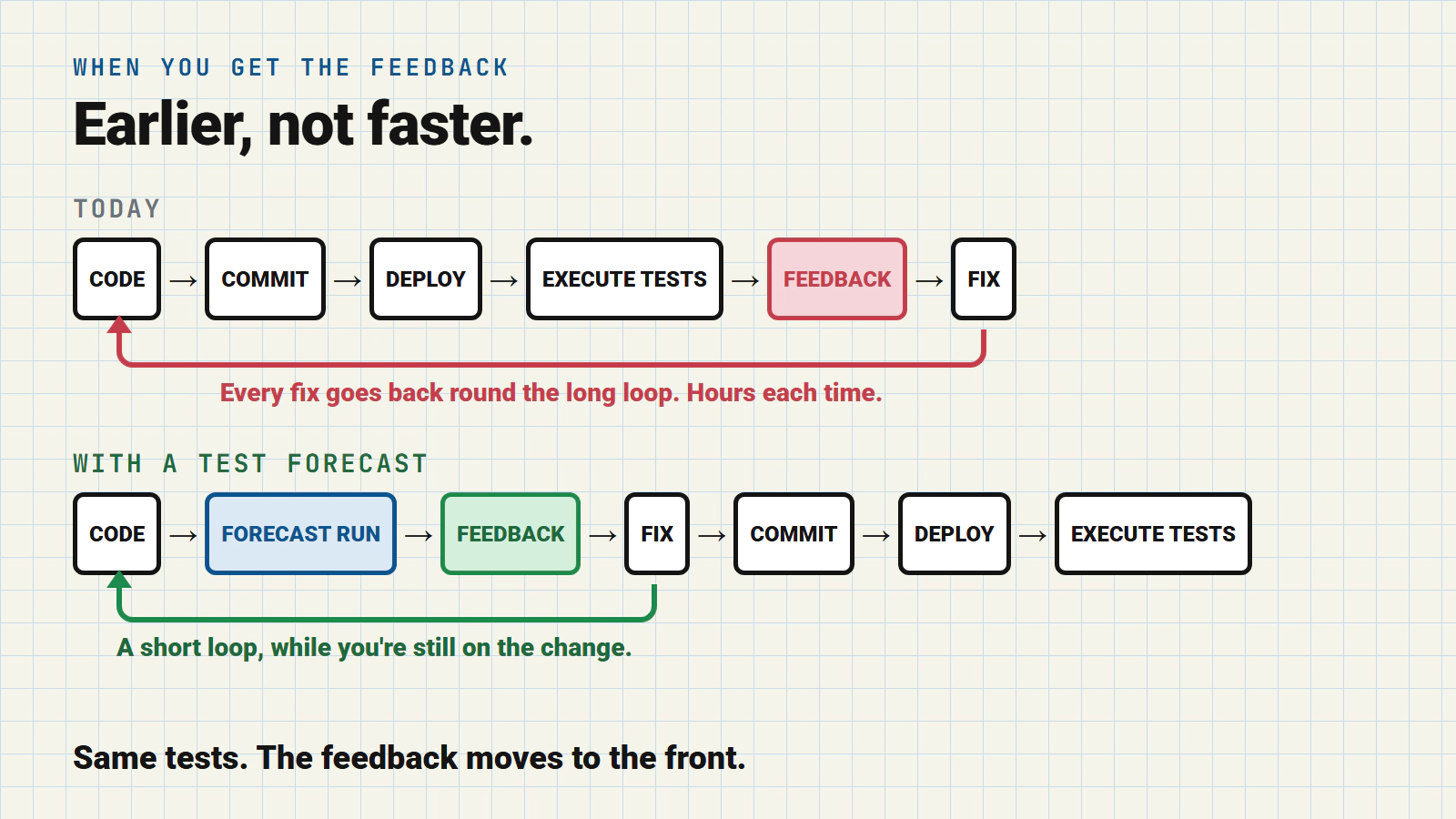
If you write the code. You finish a change, and then you wait.
The change has to be deployed, and the regression tests executed, before you find out what it broke. That’s often hours later, or the next morning.
By then you’ve moved on. If something breaks, you have to pick the change back up and remember what you were doing.
If you test it. Changes arrive in your test environment with their regression issues still to resolve.
So you find them, work out which change caused each one, and send them back. Some days the environment is broken for everyone while you work through regression issues.
That’s time you’d rather spend on exploratory testing and on the new features.
Test forecasting moves the regression check earlier. The developer sees the likely regressions while still working on the change. They get the opportunity to fix them before they reach the test environment.
Earlier, not faster. You find regression issues earlier. A forecast run isn’t quicker than actually executing the tests. It just happens earlier in the lifecycle. And that benefits everyone.
How test forecasting works
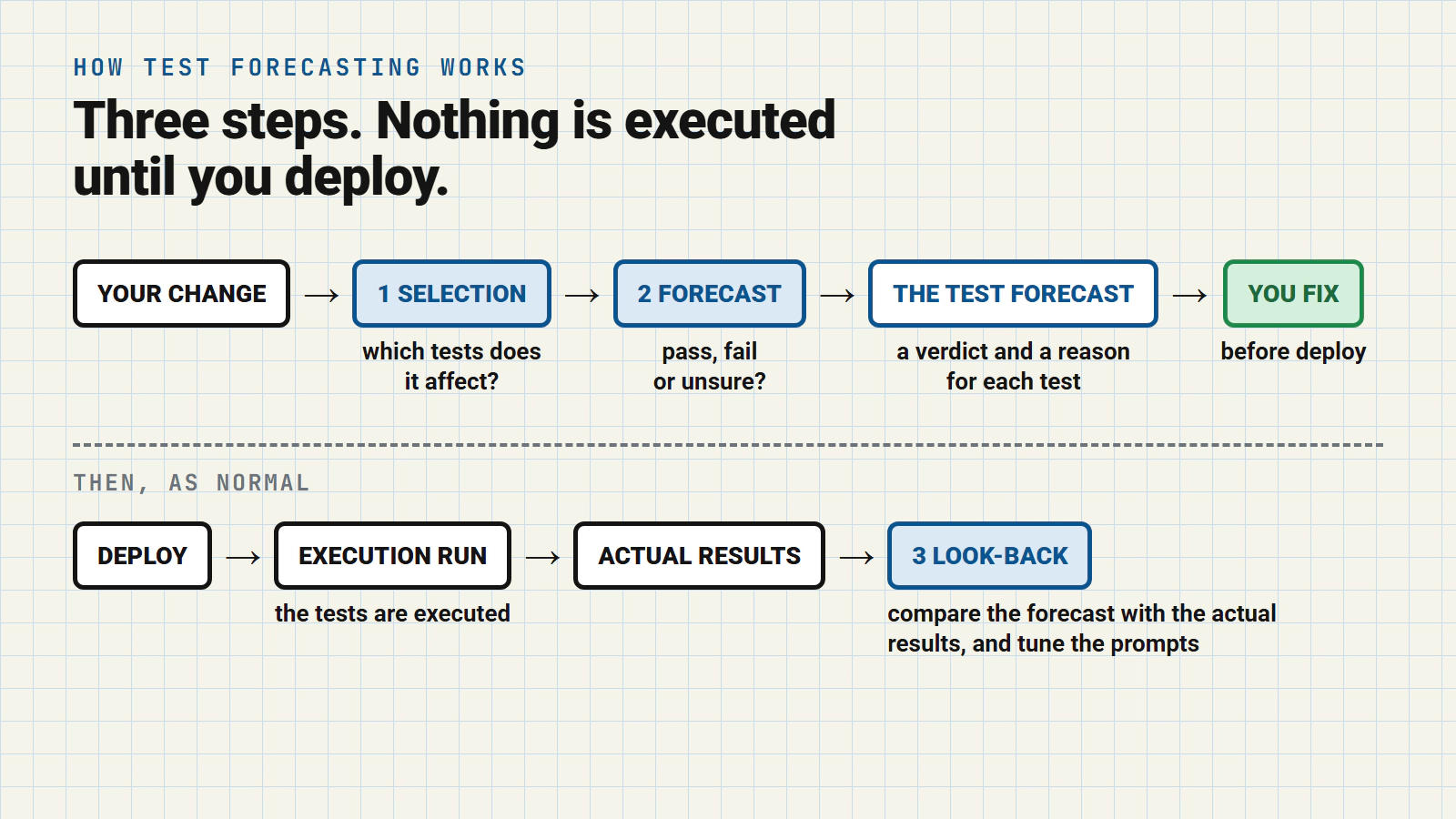
There are three steps. Each is done by an AI agent that reads tests and code. It doesn’t need to execute.
- Selection. Which of your existing regression tests does this change affect?
- Forecast. The agent reads each selected test against your change. Will it pass or fail, and why?
- Look-back. Later, the tests are executed as normal. You compare the actual results with the forecast.
Step 1 keeps the forecast run small and focused. Step 2 gives you your results. And step 3 is used as part of a feedback loop to help you hone the prompts you use for Steps 1 and 2.
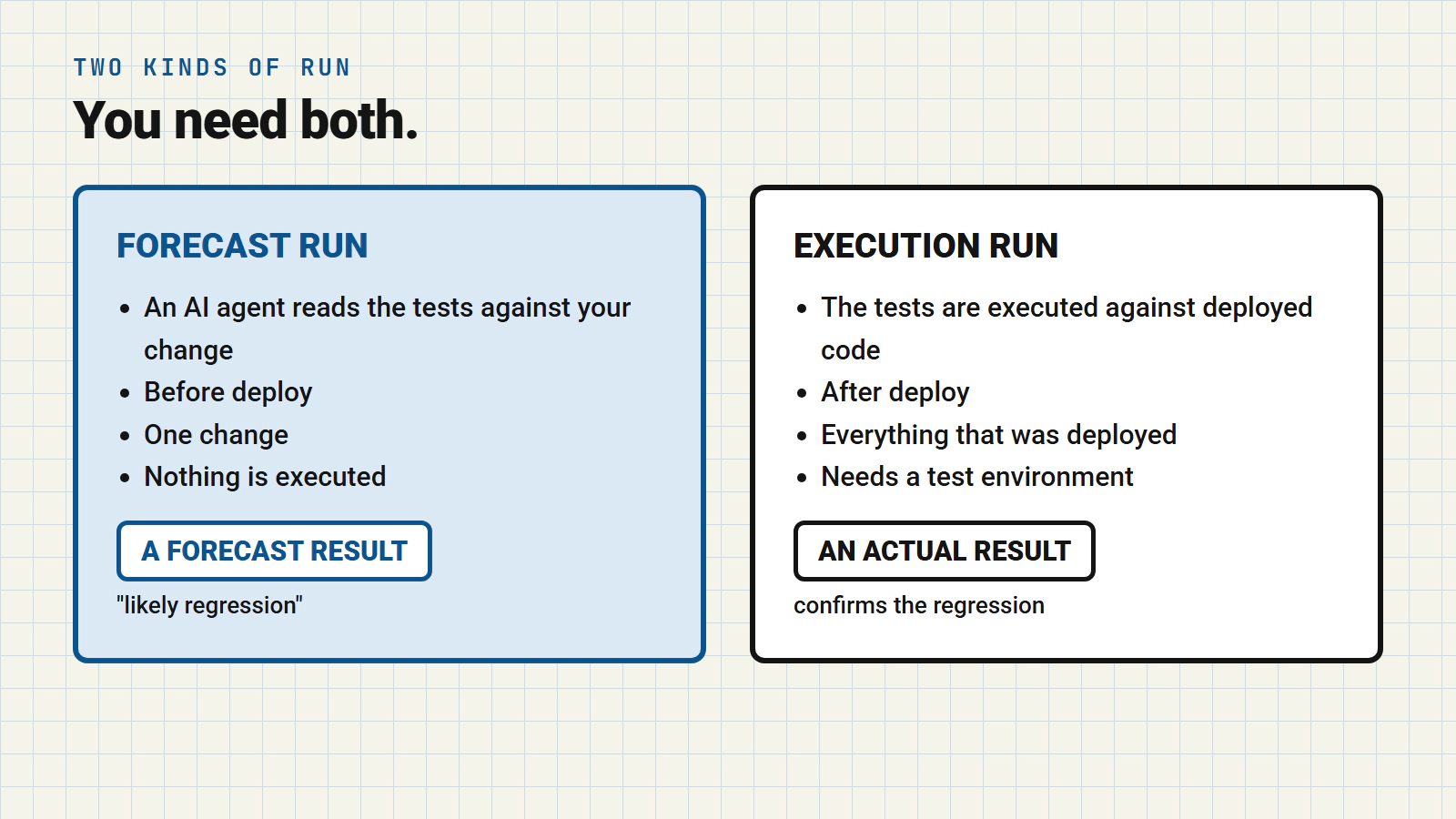
This gives you two kinds of run.
A forecast run reads the tests against your change. Nothing is executed. It gives you a forecast result ahead of a deployment.
An execution run executes the tests against deployed code. It gives you an actual result.
You need both. Only an execution run confirms a regression. So a test forecast says “likely regression”, never “bug found”.
Why use it
Feedback while you’re still on the change. You see the likely regressions before anything is deployed, with the change fresh in your mind.
Testers get to test. With regressions caught earlier, testing time can go to exploratory testing and new features. Not fixing test environment issues.
One change, one forecast. The forecast is for your change alone. Nobody sifts through results from an environment that took many changes overnight.
A reason with every failure. The forecast names the regression rule that would break, and the part of your change that breaks it.
Nothing to set up. A forecast run needs no deployment and no test environment. It needs no mocks, no stubs and no access to other systems.
Nothing to change. Your tests are read as they are.
When to use it
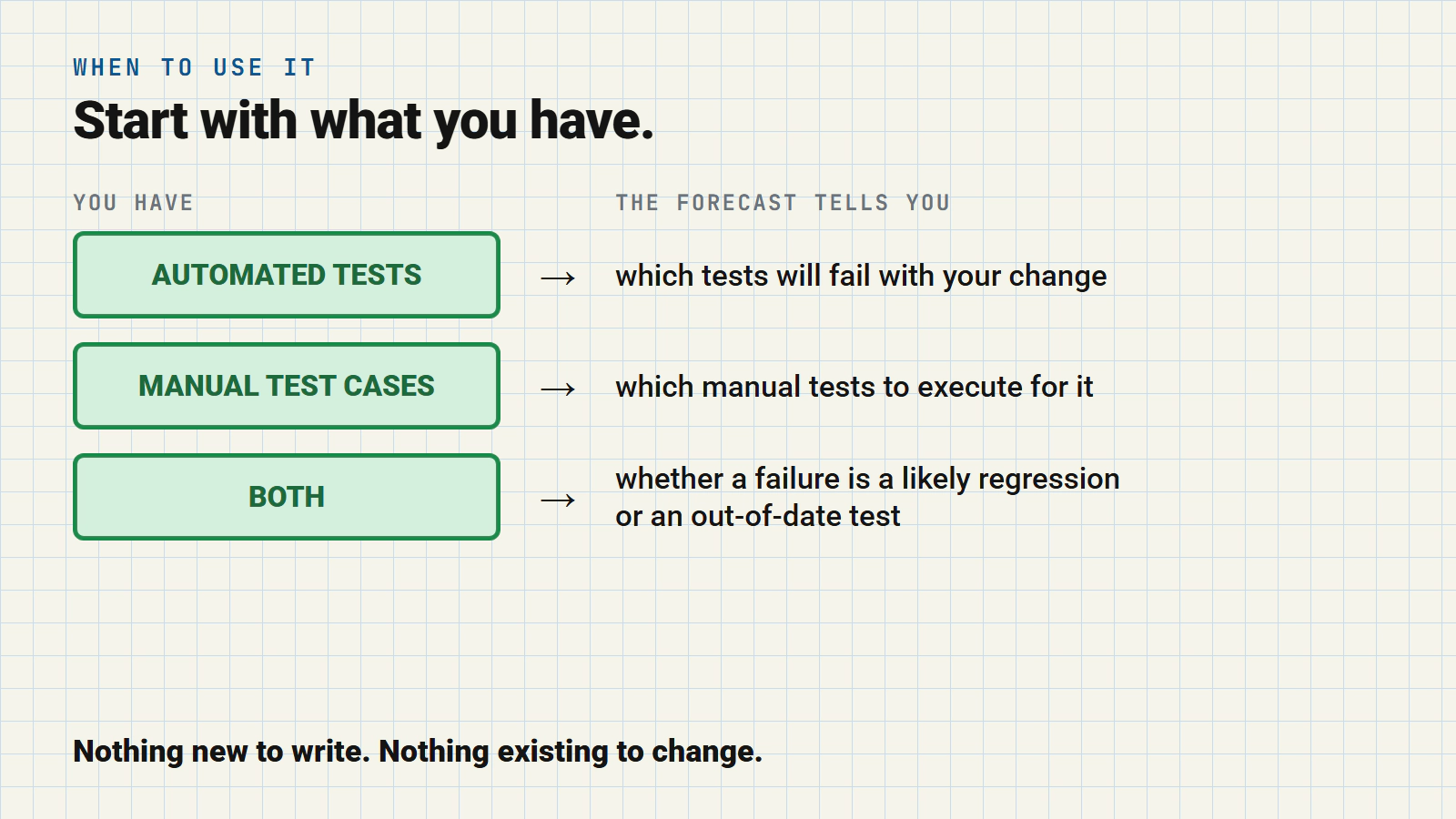
First, you don’t need to write anything new. You don’t need to modify any existing setup.
Start with what you have. The set-up and the forecast runs are non-invasive.
If you have automated tests, the forecast tells you which tests will fail with your change. This is where the evidence is so far.
If you have manual test cases, yes, you can use this with those too. LLMs are good with human-readable test cases, and the forecast can tell you which ones to execute for this change. It’s early days for manual test cases, though.
If you have both, reading them together should tell a likely regression from an out-of-date test.
Quality of any tests you use counts. Poor manual tests or poor automated tests, and you can expect poor forecast results.
When not to rely on it
It’s a forecast. It never replaces executing the tests.
It finds nothing your tests don’t say. The coverage is in your tests, not in the reading.
It can’t see outside the code. The environment, the data, timing and third-party systems are all out of its sight.
It needs good tests that have been executed. If you don’t have any, or they’re poor quality, improve your test pack first. A test that has never been executed has never been shown to work, so a forecast from it is a guess.
It isn’t faster than executing the tests. It’s earlier. Any savings are likely to come later, in the deploy, break and unpick cycle it avoids.
It may not work for every team. That’s why the next step matters.
Check it on your own history first
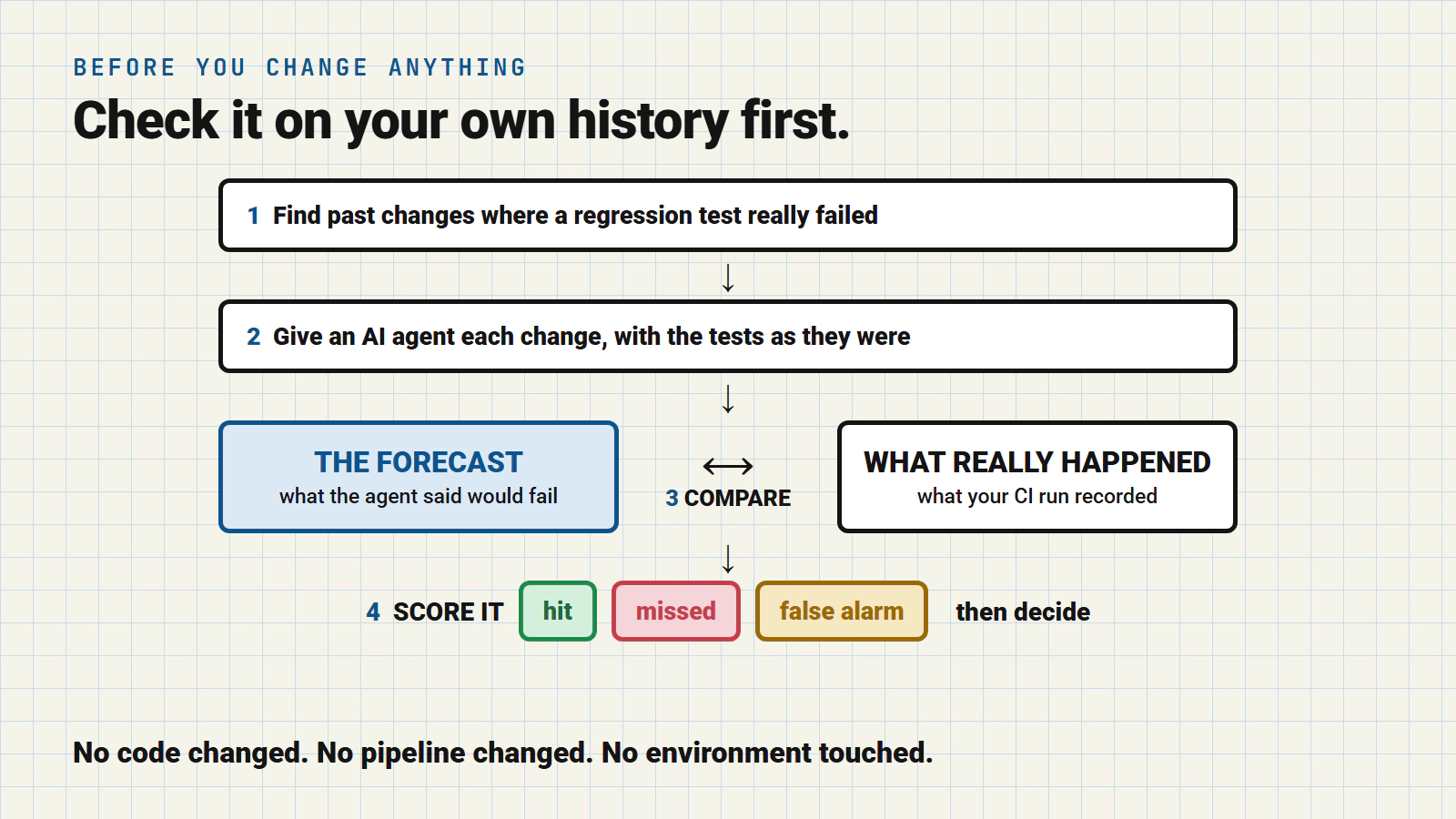
You can find out whether test forecasting works for your team before you change anything.
Go back through your CI history and find the changes where a regression test really failed.
Give an AI agent each change, with the tests as they were at the time. Ask which tests will fail.
Then score its answers against what really happened.
You change no code, no pipeline and no environment. If the scores are poor, you stop, and leave everything as it was. You might not be ready for test forecasting or maybe it just isn’t going to work for you.
If the scores are good then you can think about building this read-only process into a pipeline. Not convinced yet? Then build it into a separate repo and workflow and avoid touching anything else. Convinced? Then build it into your existing pipelines and merge gates.
Where it stands
This is early. We’re still perfecting the workflow and running evaluations.
So don’t take our word for it, or anyone else’s.
You can set this up yourself, on your own code and your own tests, without touching anything you already have.
Evaluate it. Check the forecast results against what really happened. Then make your own decision.
That’s the only way to know whether test forecasting works for your team. Results from someone else’s project can’t tell you that.
Researchers have shown that test results can be predicted without execution. This page is about turning that into a practice a team can use.
More to come as the practical lessons and the evidence grow.
First published 27 November 2026. Bill Echlin.