
The way we apply regression testing is about to change.
Regression testing is our check at the end. Run the pack before release and find out what broke.
Now, when AI writes the code, your regression tests can keep it on track while it’s being written. Not just by running them, but by reading them too.
Read and run. That’s the new job for regression tests.
This weekend I built this approach into how I develop GTMS. I put this concept to the test.
Here’s the idea, how it works, and what I found.
The old job
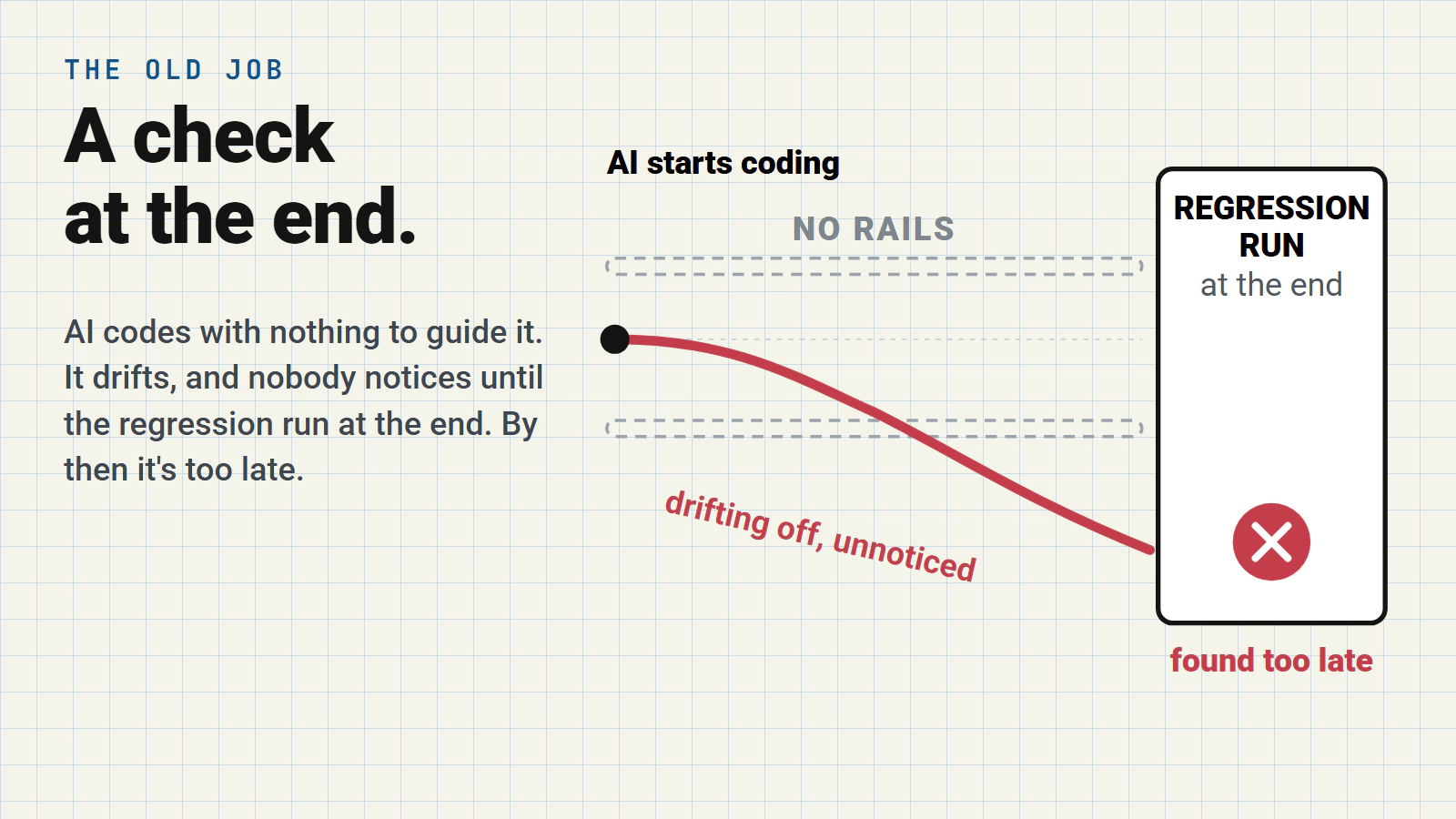
Hand an AI agent a change and it codes from what it’s given. A ticket, a requirement, a user story, the code it can see. There’s little to tell it which existing behaviour must keep working. The traditional model is that we complete that work and check for regression issues at the end. Then go back and fix things if it’s broken.
Whilst the agent codes, it looks to complete the change and drifts. It drifts from what was actually needed because it’s not considering anything about regression requirements DURING the change. The regression run has always come at the end. This is where you find out your agent has drifted.
Your agent might have delivered the required change but you now have regression issues to go back and clean up.
By then the agent has moved on, and so has the context.
We have to go back and patch things up.
A totally inefficient approach.
The new job, read and run
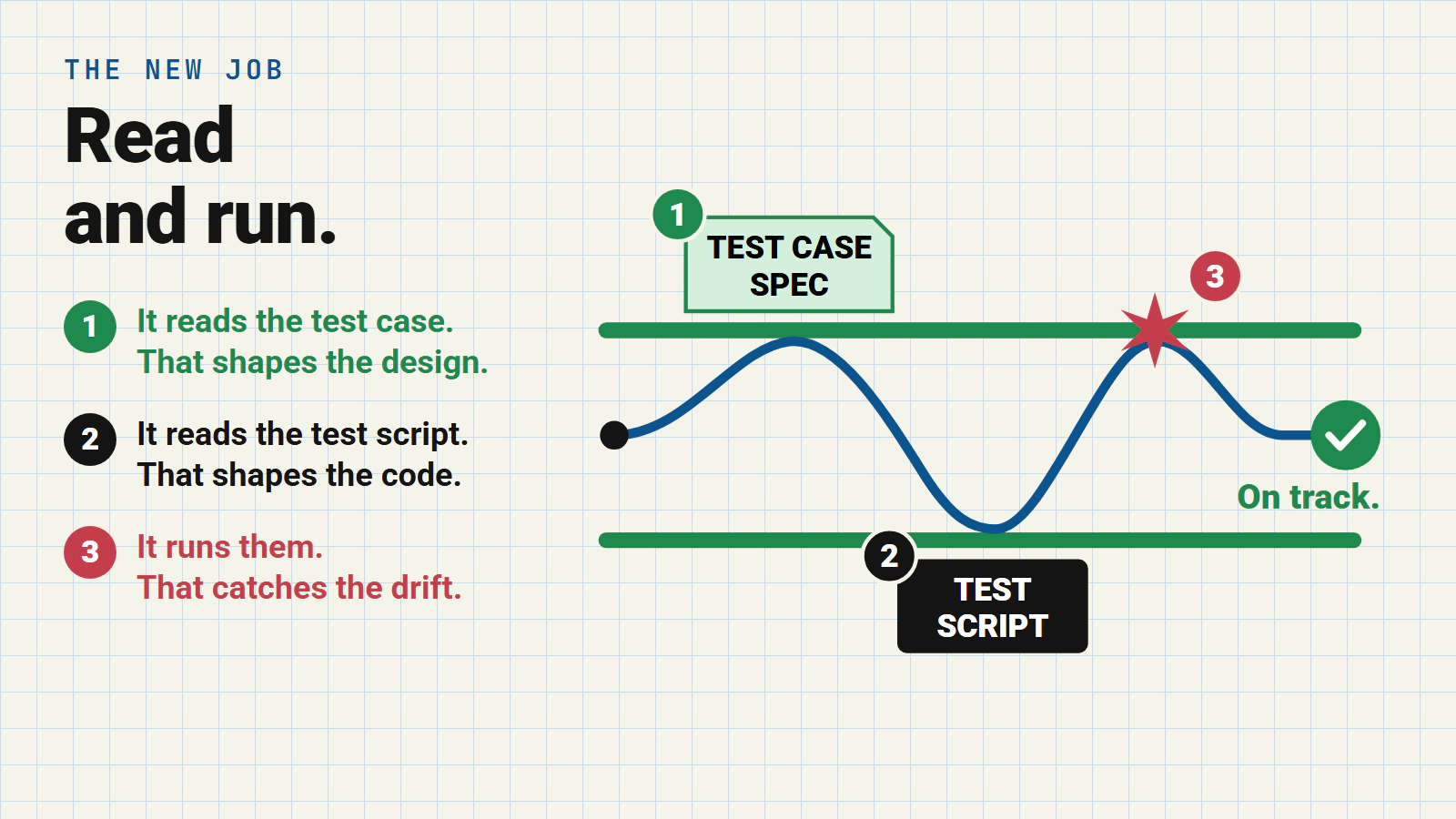
Give the AI the regression tests that matter before it starts. This works for your agent in three ways.
1. It reads the test cases, and that shapes the design.
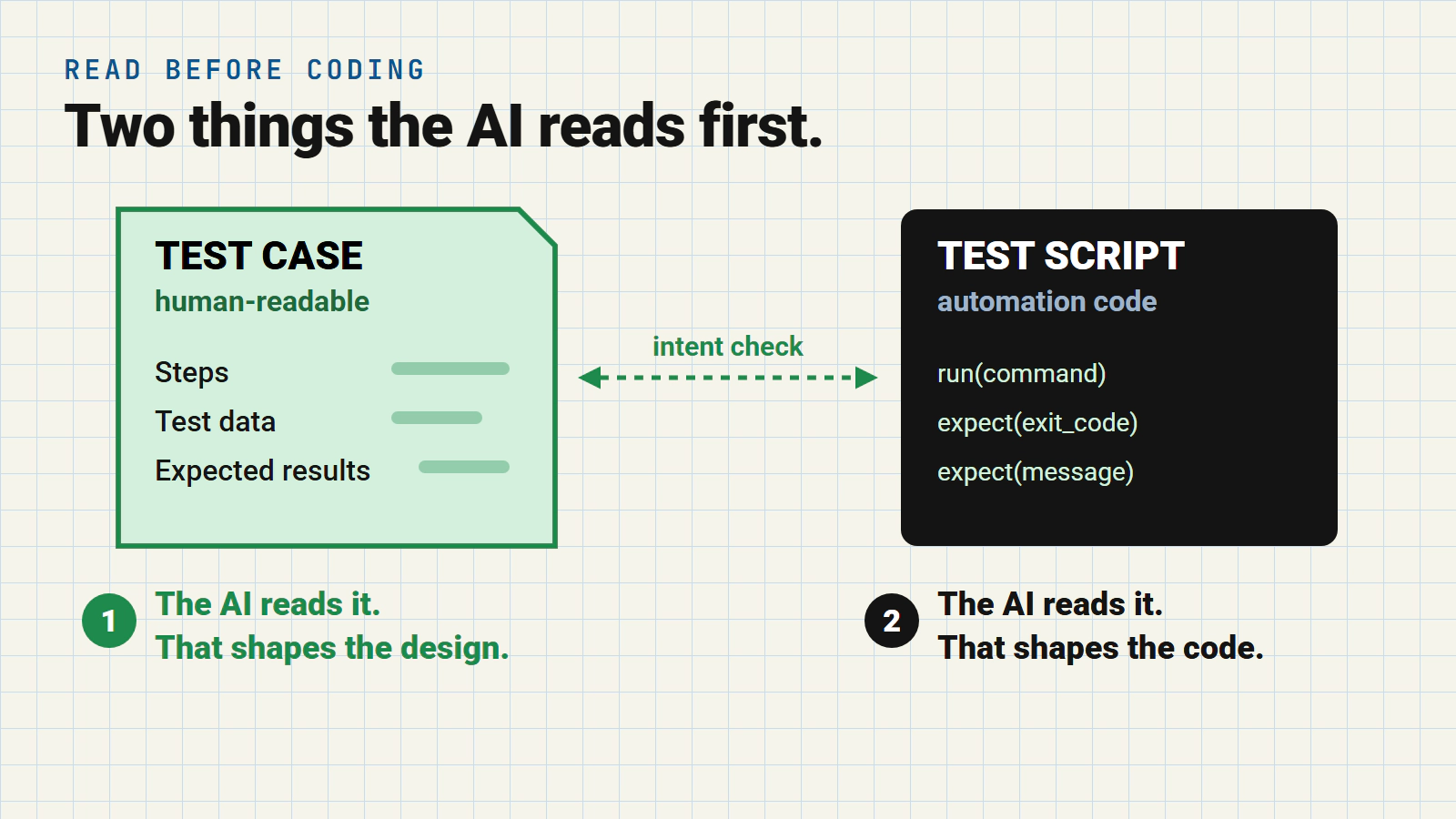
This is the part that’s easy to skip past. A test case is written in plain language. Steps, data, what you expect to see. And a large language model (the clue’s in part of the name, “language”) reads the plain language of your test case spec.
So before a line of code exists, the AI can check its plan against every test case that touches the code being changed. Which messages must stay the same. Which exit codes. Which edge cases someone thought about 2 years ago. Reading a pile of test cases against a design, on every change, was never practical for us humans. Now it’s static analysis in plain English with an agent. And it’s cheap.
2. It reads the test scripts, and that shapes the code.
The scripts show exactly how each behaviour is checked. The command, the data, the exact text the assertion looks for. So the AI writes code that’s designed to fit what’s tested by your automation scripts. It’s not running the automation scripts. It’s using the intent of those coded automation scripts to design a solution that considers these scripts DURING the coding.
Not just hoping it doesn’t break anything when we run the scripts at the end.
3. It runs them, and that catches the drift.
This is the job regression tests always had. What’s new is when. The AI runs the relevant tests while it’s coding, sees a failure the moment its change breaks something. Fixes it then and there. Not in CI, and not in production.
We’ve always run regression tests. Now they get read first, before any code is written. That’s what turns them from a gate at the end into rails all the way.
Why test cases, not requirements
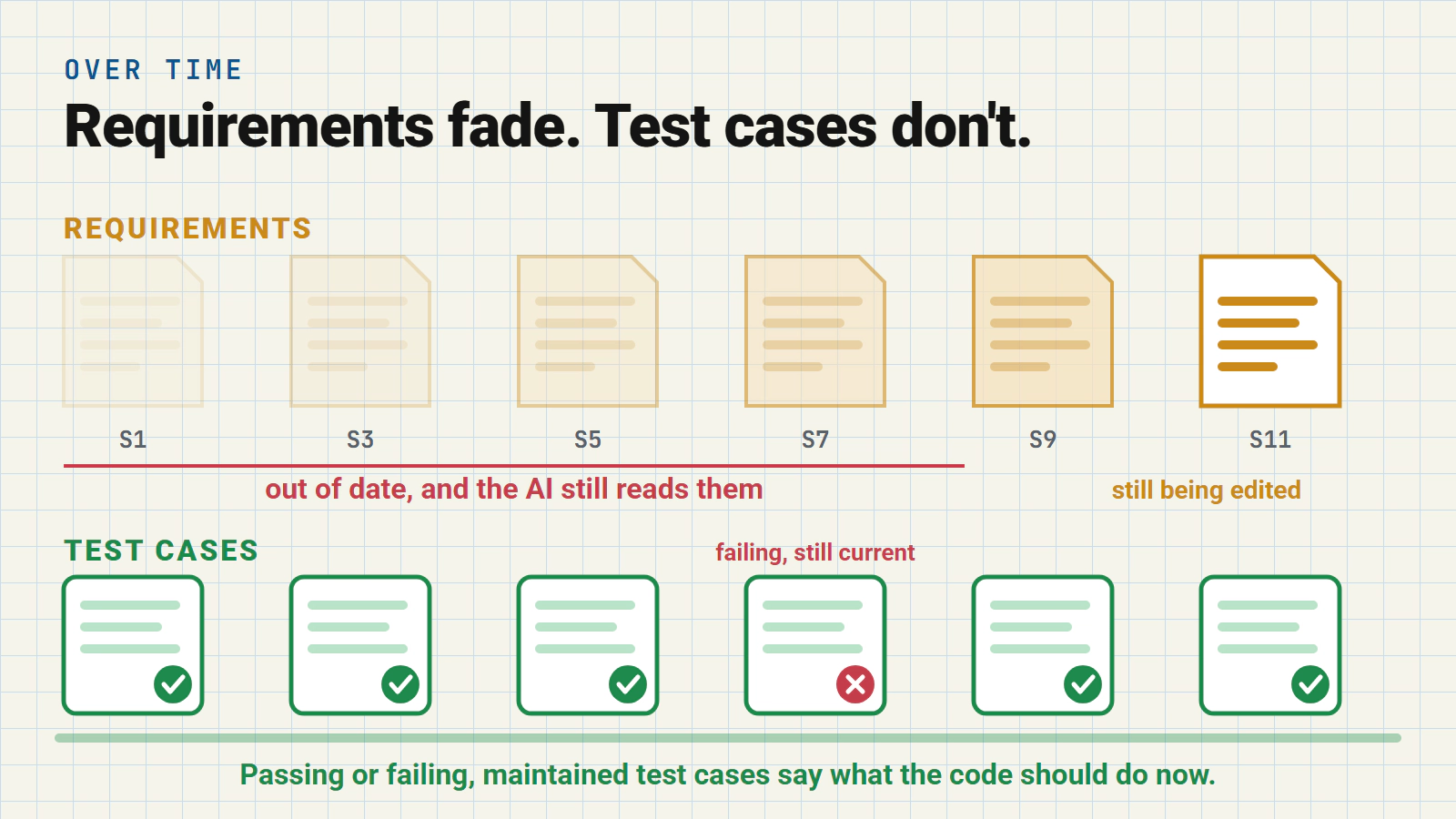
You could hand the AI agent the requirements instead. The trouble is, requirements fade. They don’t get maintained. They’re written for a sprint and rarely touched again. Ten sprints later the AI can still read them if you want it to. If they’re out of date your agent will follow them.
Do you really want to guide your agent with out of date requirements and stories?
Maintained test cases don’t fade. Passing or failing, they describe what the code should do now.
That’s what you want steering your agents!
The new step, pick the right tests first
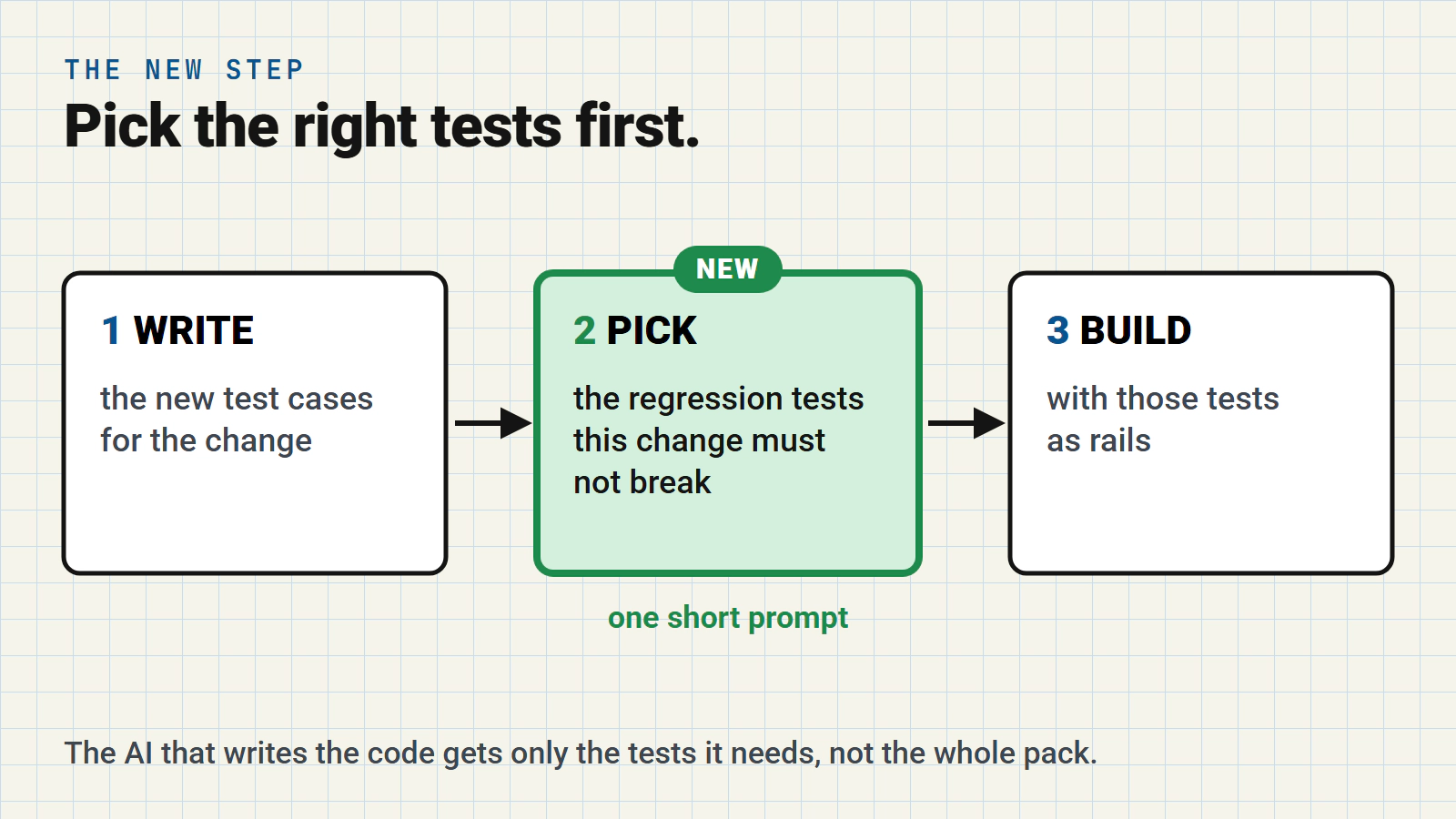
You can’t hand over the whole regression pack. It’s too much to read, and most of it has nothing to do with the change. So I added one step before coding. A separate agent picks the individual test cases this change must not break, and the coding AI gets only those.
It’s one short prompt. This is the heart of it.
Work out what behaviour the change touches: which commands, paths,
messages and exit codes. Search the test cases. Narrow to the 2-3 most
relevant folders, then look beyond them for strays. Pick individual
test cases, never whole folders. Read each candidate test case and its
script before you pick it.
This is specific for my application I’m working on (GTMS). You get the idea though…
- work out what’s being modified
- find tests that cover areas being modified
- read these test cases and test scripts before coding
No new tooling. The test cases and scripts were already in GTMS, as plain files the AI can search.
What I found before writing any code
I tried it on a real fix in GTMS, a two-part change to how gtms execute reports results. It’s an area with lots of existing tests, and lots of messages that must not change.
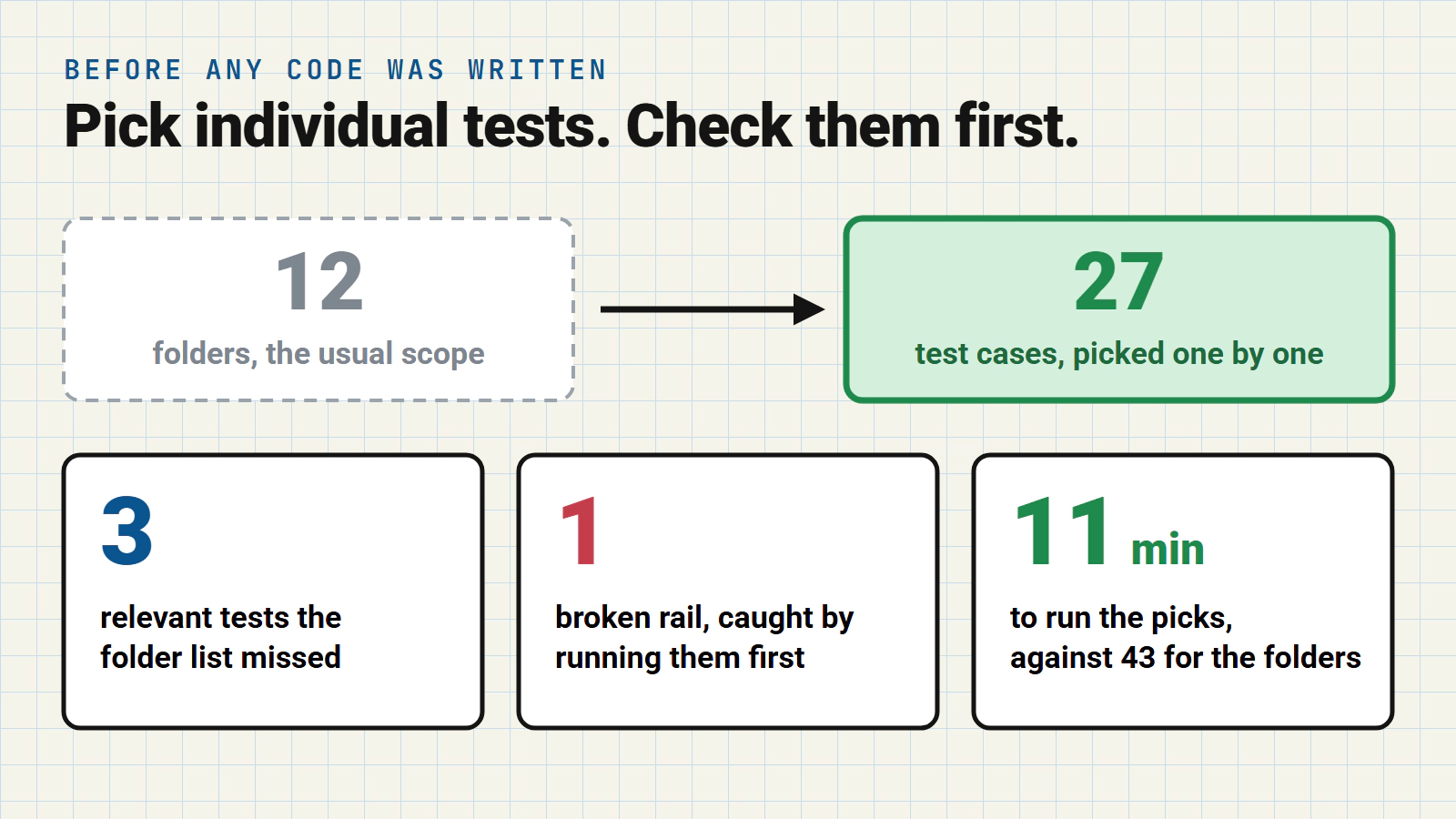
Individual test cases beat the folder list. My usual practice names whole folders as regression scope, and this change listed twelve. The selector picked 27 individual test cases instead. It found three relevant tests in a folder the list missed, and rightly left out folders the change never touches.
Check your rails before you trust them. A strict check of each test case against its script flagged more than half. Most were harmless, but two genuinely weakened a rail, so I fixed them. Then I ran all 27 before any coding started. One failed. My own fix had broken it, and two code reviews had missed it. Only running it found it. A rail that’s already broken sends the AI chasing a problem that isn’t there.
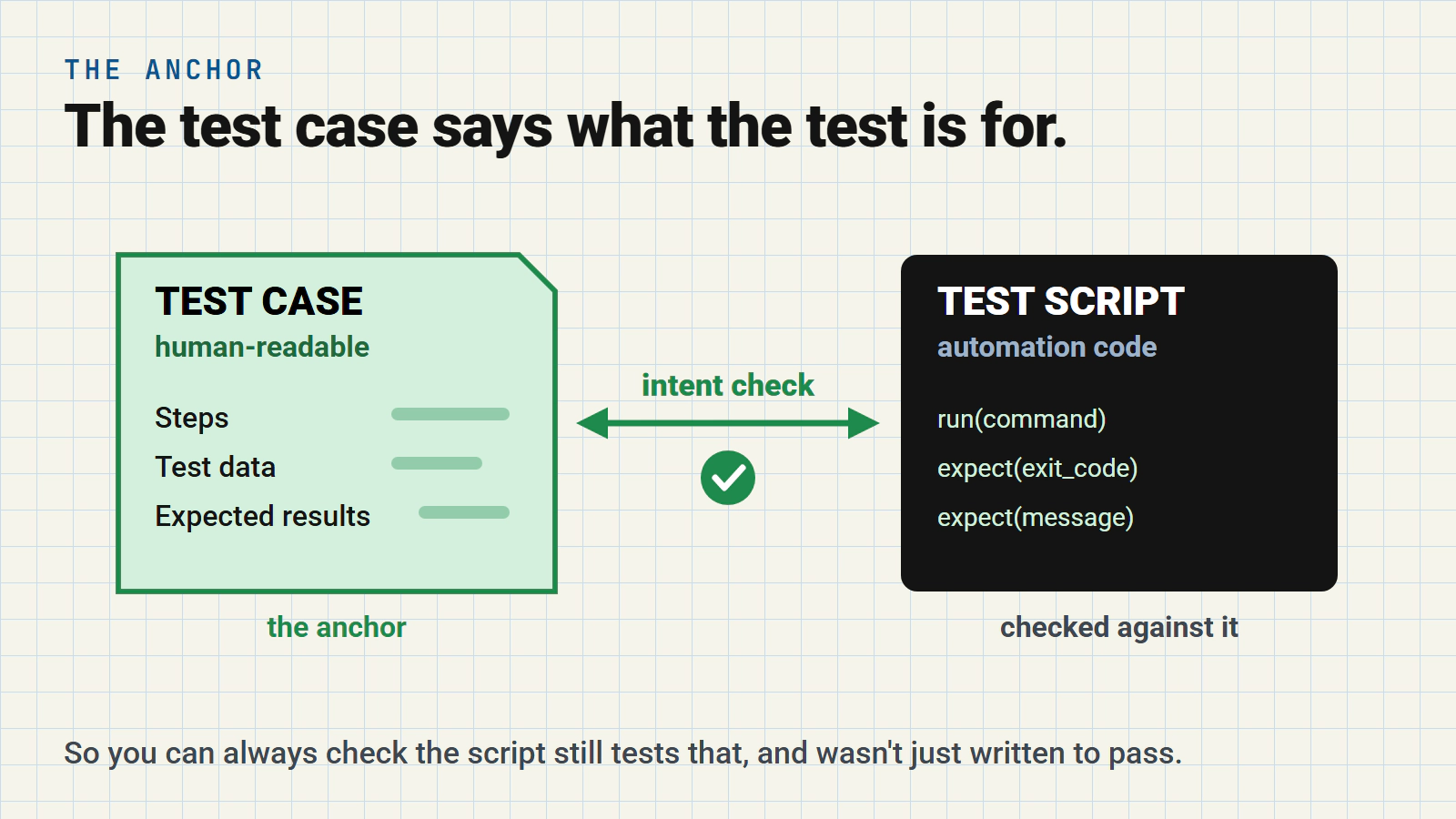
Why that check was possible at all. In GTMS every automated script has a human-readable test case beside it. The test case is the anchor. It says what the test is for, so you can always check the script still tests that, and wasn’t just written to pass.
Run individual tests, not the folders of tests. 11 minutes for the 27 rails, against 43 minutes for the folders they came from. That’s quick enough for the AI to run them while it works.
Built twice, with and without rails
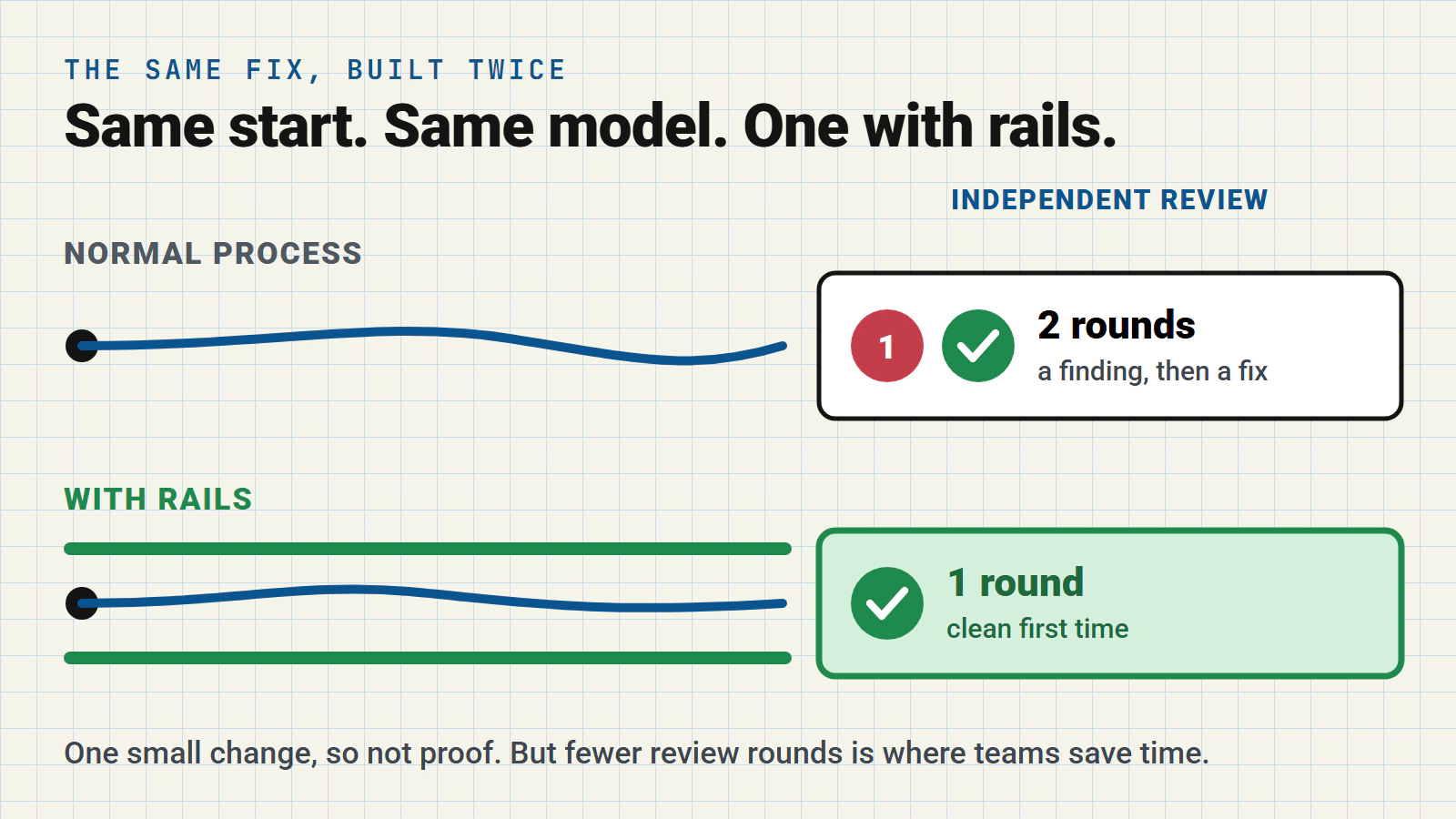
Then I built the same fix twice. A control that follows my current process. A new process that includes these rails.
Same starting point, same model. I used a cheaper model, because it’s likely to drift more and gives the rails more to catch.
Every change I make goes through independent code reviews before it’s merged. Two different AI reviewers, round after round, until neither finds anything that matters. Counting those rounds was my main measure.
The regression rails build was clean after one review round. The normal build needed two.
The extra round wasn’t a near miss. The normal build’s new tests borrowed helper code from another set of tests, and a reviewer caught it. Fixing it meant editing 14 existing regression scripts, half of them tests on the rails list. The rails build never had the problem. It’s not allowed to touch its rails’ scripts, so it gave its new tests their own helper from the start. I can’t prove the rails caused that choice. But it’s exactly the kind of thing they’re there to prevent.
Rail 1 showed up too. Before writing any code, the rails build turned the test cases into design rules in its plan. Only fire the new check when the test didn’t start. Reuse the existing messages, don’t change the wording. Count each error exactly once. That’s the test cases shaping the design.
What it cost. The coding stage took longer with rails, 58 minutes against 30, mostly from running the rails twice at about 11 minutes a go. But the normal build’s 30 minutes doesn’t include its fix and its second review round. End to end, I’d say there’s not much in it. And rail 3 had nothing to catch. No rail ever failed, in either build.
One small, well-defined change isn’t proof. Both builds did well. The bug was a simple fix. But fewer review rounds is the result I was hoping for, because that’s where the time goes on real teams. Next I’ll run tougher bugs to fix, and I’ll share what I find.
What your team needs in place
- Test cases that are maintained and say what the product does now.
- Human-readable test case specs that act as an anchor to the test automation scripts.
- Somewhere the AI can run them while it codes.
None of this is new. We’ve had these in QA for years.
What’s new is that we can get AI agents to do more with it.
As AI coding scales, we’re going to need to embed test approaches like this if we’re going to stand any chance of maintaining the levels of quality we need.
Time to get your regression tests in shape I’d say.
Try it
GTMS is free and open source. Download it, drop it into your project, and ask your AI coding assistant to run gtms --help.