
One tester, three AI agents, three machines. This video follows the testing of three features. From test case spec, through test automation to recorded result. All three in parallel.
You have a team now
Agents can write test cases, write the scripts and run them. Give each one a feature and they’ll work in parallel.
That makes you something closer to a test lead. You hand out the work, review it, and keep track of where everything is.
The last part is where it gets difficult. Three agents using three machines. Writing scripts, executing and testing your newly automated tests. It doesn’t take long to lose track of who did what.
Delegate the work
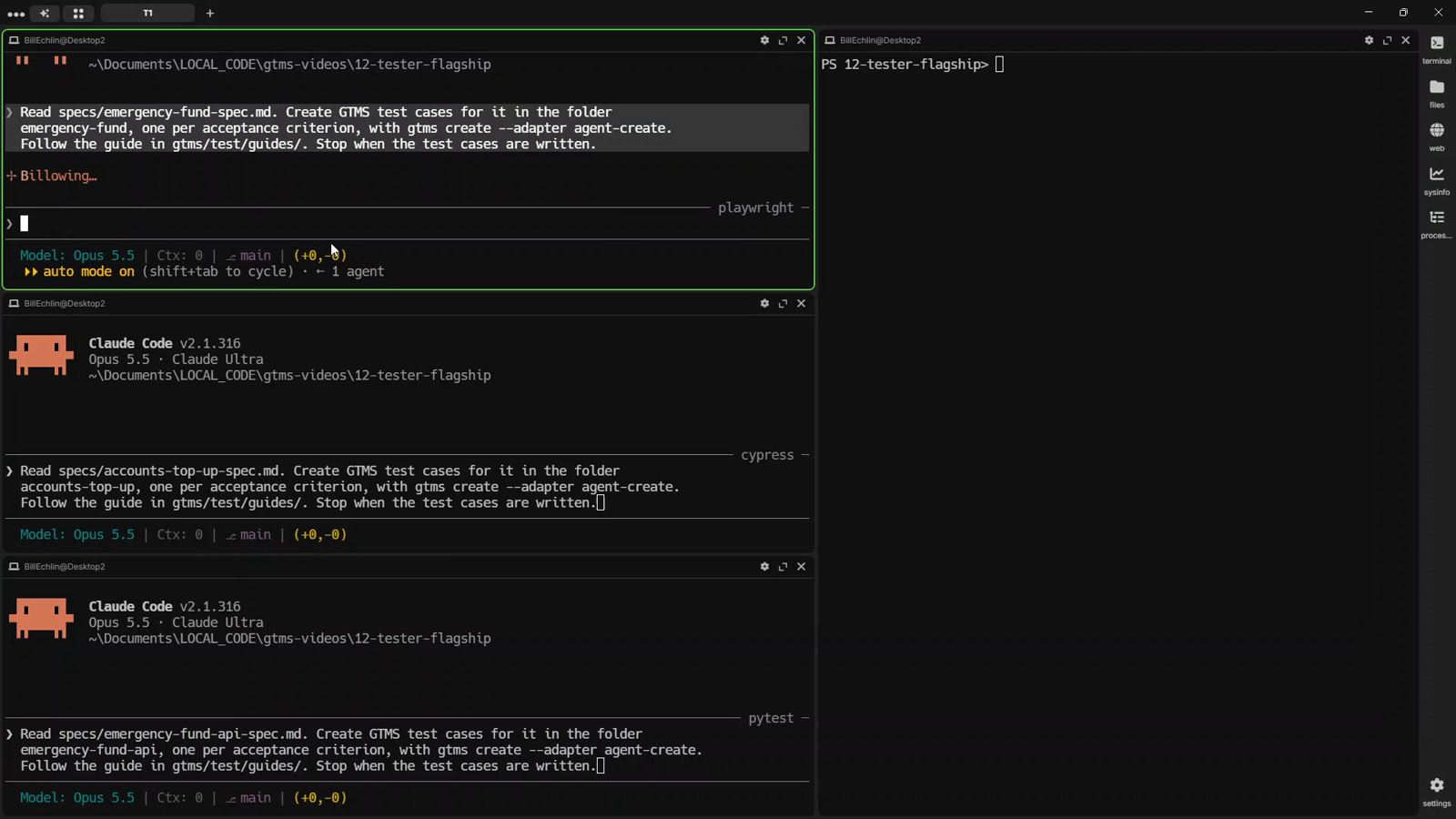
Each agent got one feature spec and the same instruction. One test case for each of the acceptance criteria.
Read specs/accounts-top-up-spec.md. Create GTMS test cases for it in the folder
accounts-top-up, one per acceptance criterion, with gtms create --adapter agent-create.
Follow the guide in gtms/test/guides/. Stop when the test cases are written.
GTMS gives every case its ID and stamps the same template. The agent fills it in.
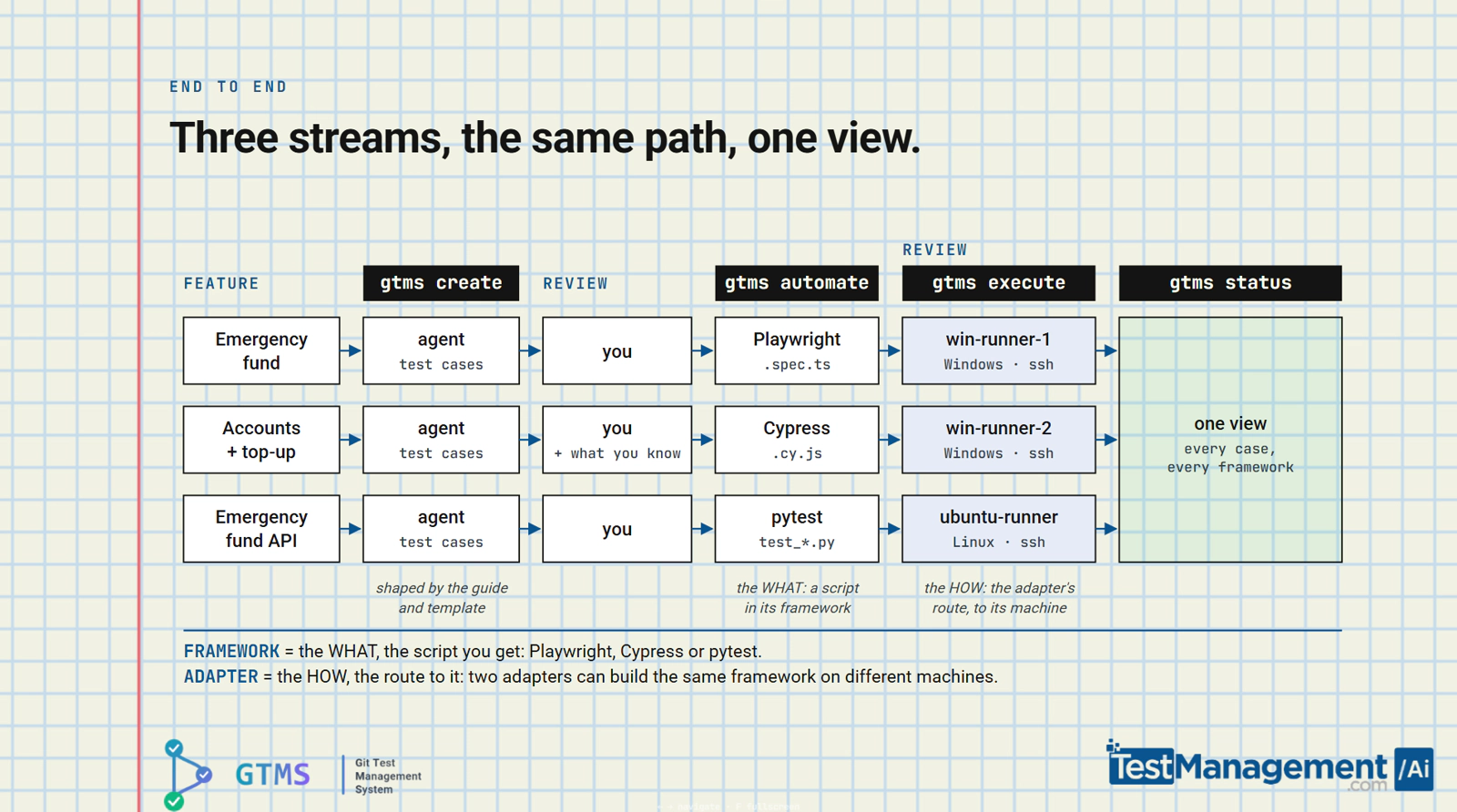
It’s plan, implement, verify, the loop you’ll see recommended for agentic development. In testing terms that’s create, automate, execute.
Review like a lead
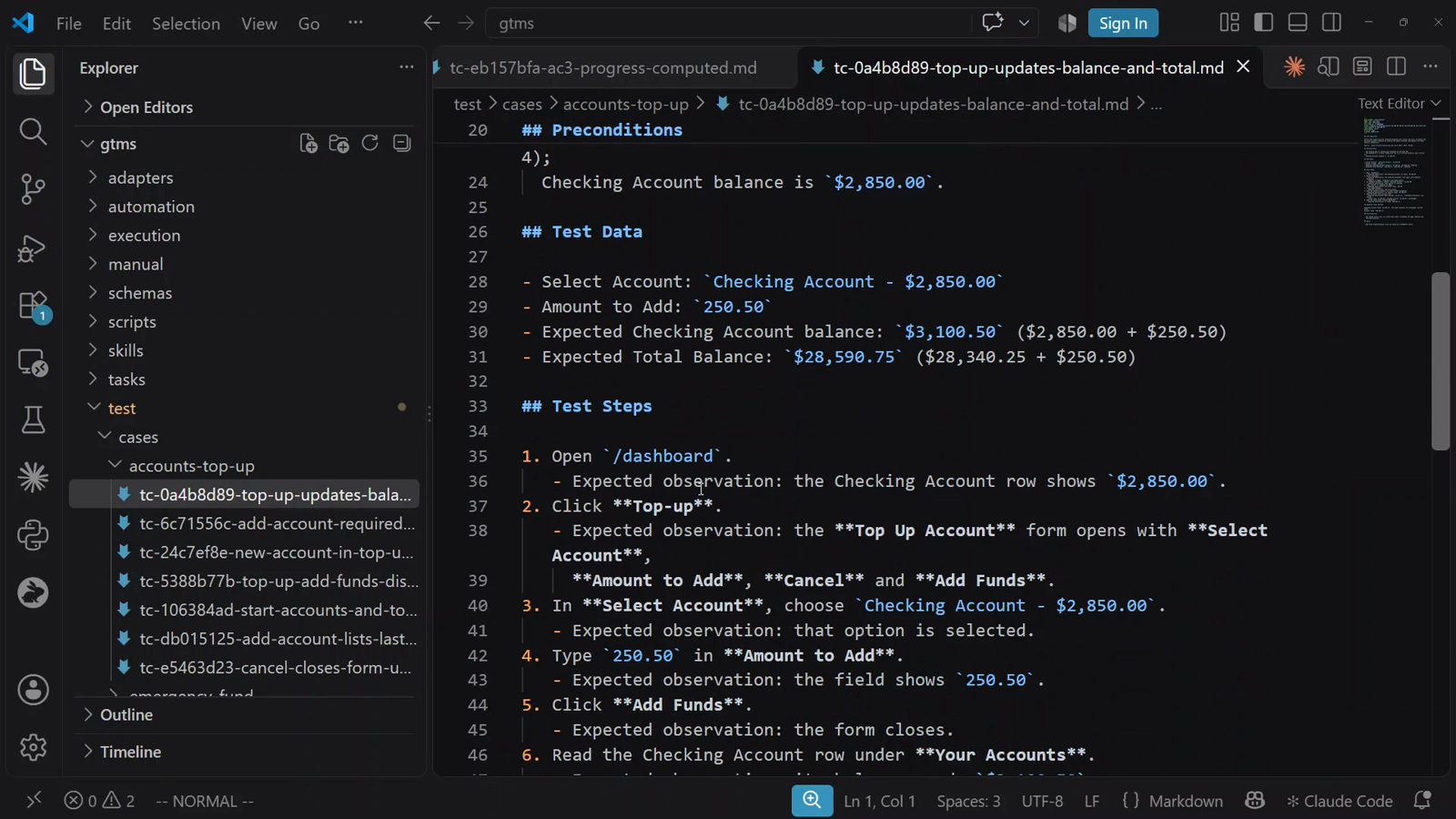
The agents wrote the first draft of the test cases. They missed something they had no way of knowing. That’s why I review the test cases with them.
Money formatting often breaks at the second thousands separator, over a million. So I added a case.
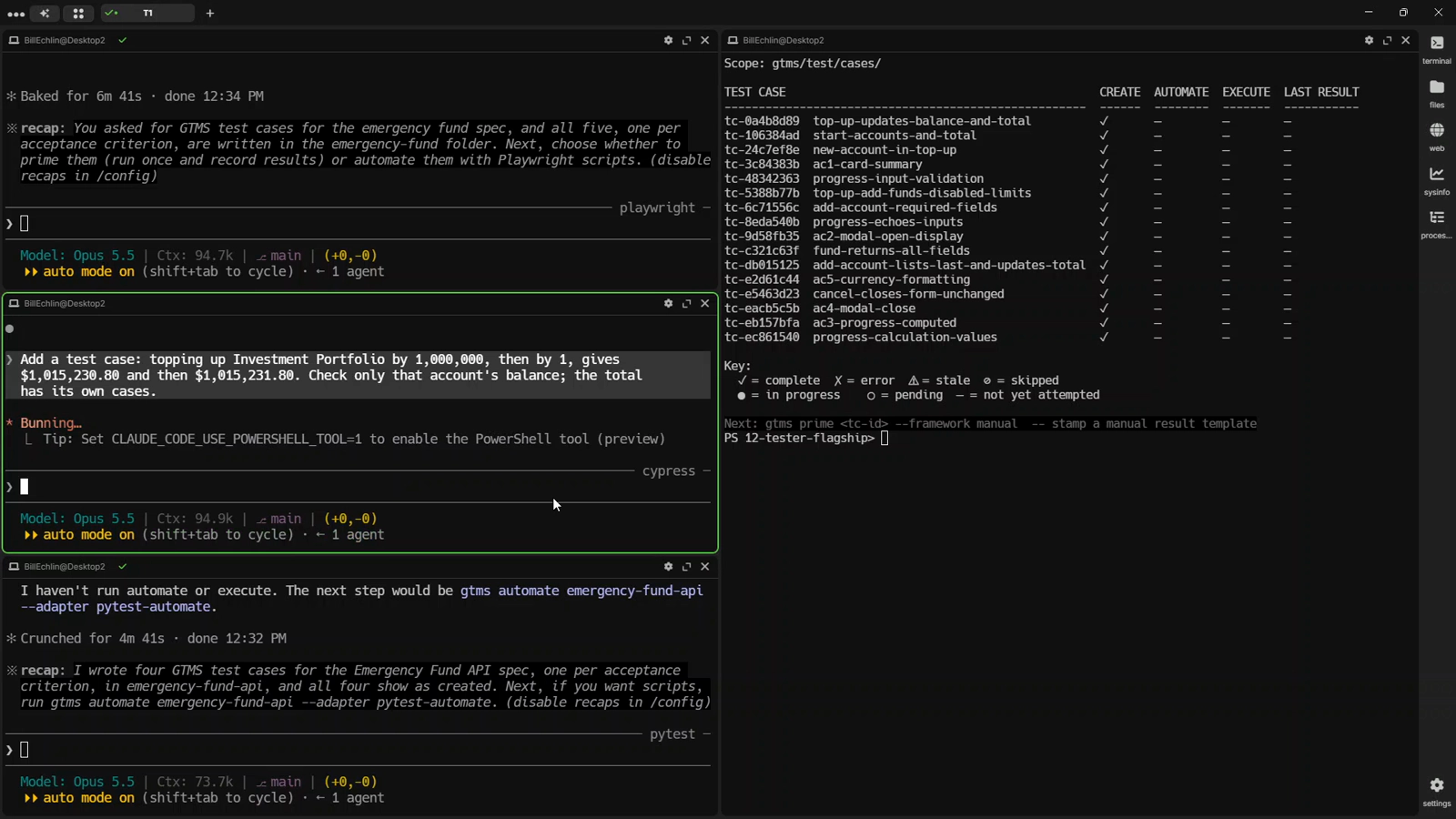
That’s the job now. Whether you came from manual or automation, it’s deciding what gets tested. The test case is where that knowledge goes in. The test case becomes the plan the agent automates from.
Start the parallel implementation
Each agent automated its cases in its own framework. In this demo that’s Playwright, Cypress and pytest. Same command for all three. Playwright comes with GTMS; for Cypress and pytest I added a small adapter in the config.
Then gtms execute sent each script to its own machine. Playwright and Cypress to two Windows servers, pytest to Linux. An adapter I wrote copies the script over SSH, runs it there and brings the result back.
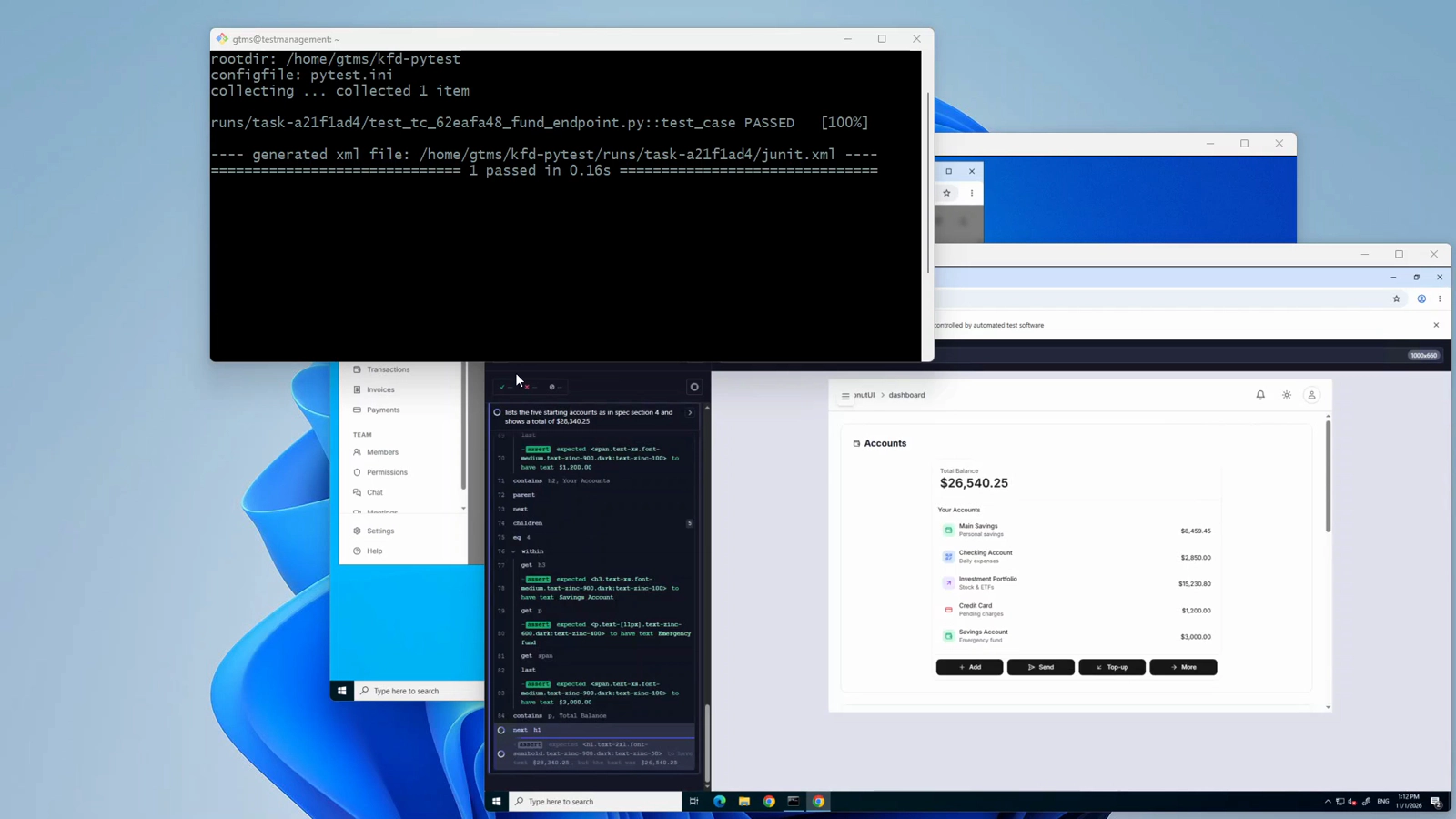
We’re testing our newly automated tests before we fold them into our full regression pack.
See everything in one place
This is what keeps your new team manageable.
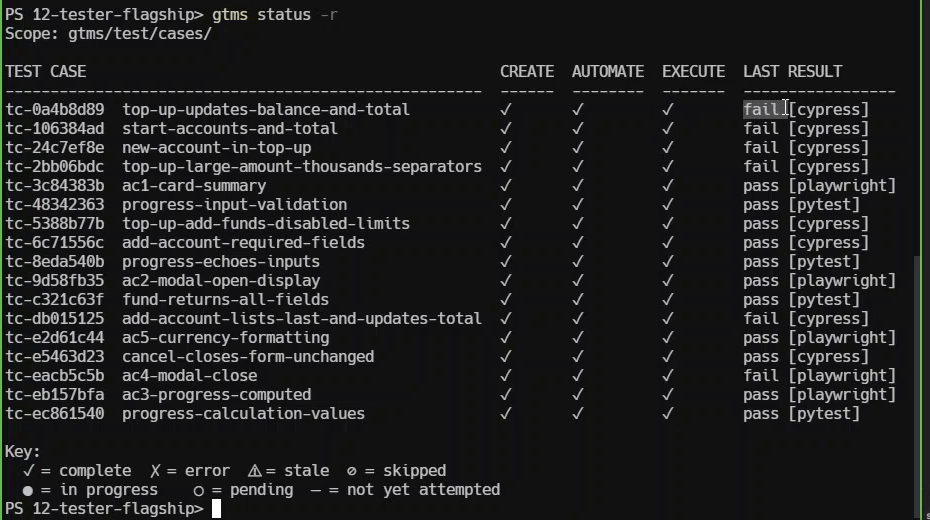
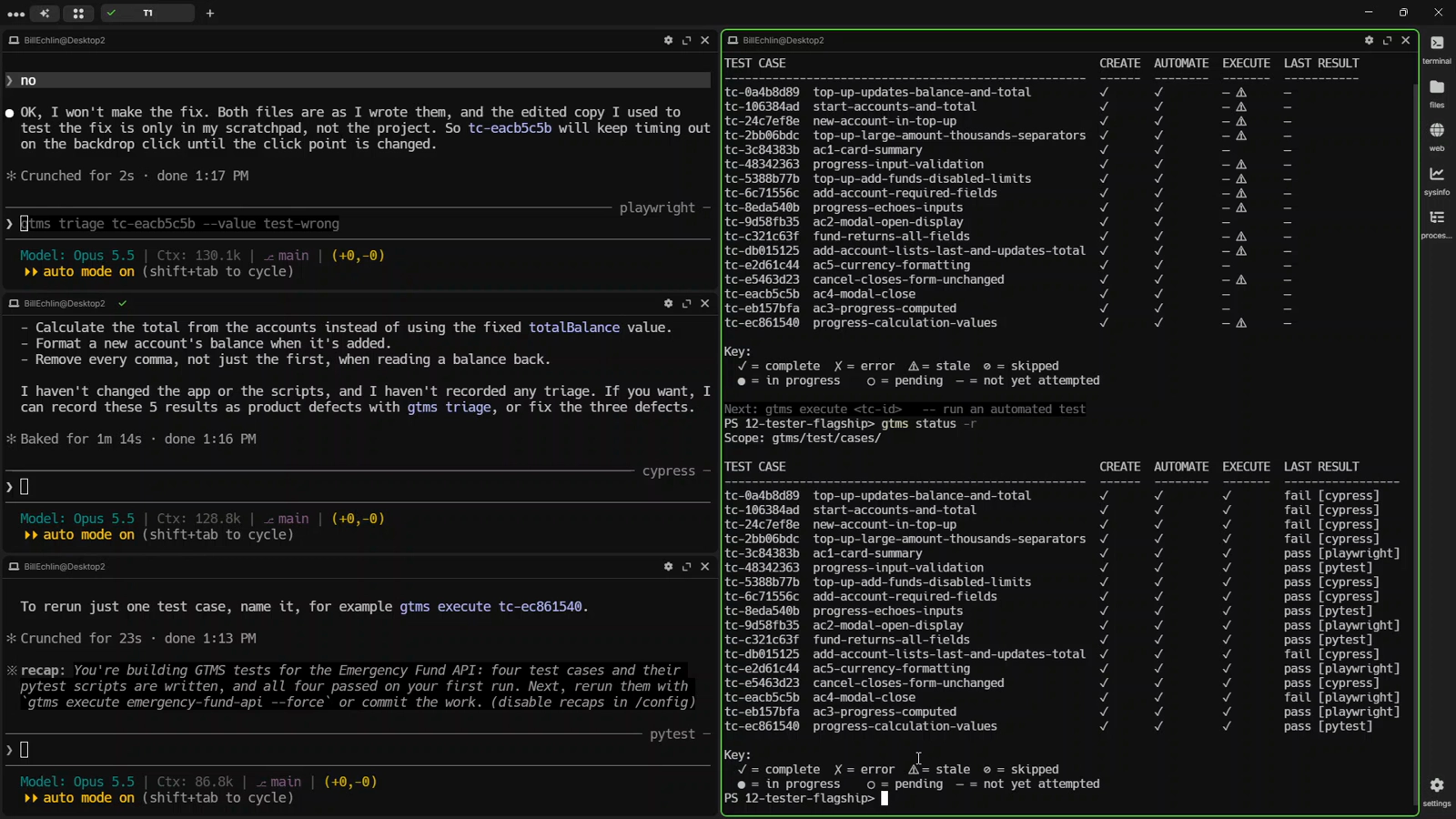
gtms status -r shows every case from all three agents. Created, automated, executed, and the last result with its framework.
Six cases failed. Five were real defects in the top-up feature. One was the test’s own fault, a timing problem, and it’s recorded as that.
The bug that came from me
The case I added was one of the five.
Top up an account past a million dollars, then top it up again, and the balance drops to about a thousand. The app reads the balance back and strips only the first comma, so $1,015,230.80 becomes 1015.
The spec didn’t cover it. The agents didn’t think of it. I did. So it’s captured in an automated test. The failure is on the record, next to the test case it came from.
Your team forgets. The records don’t.
Agents lose their memory with every new session. The test cases, the scripts and every result stay in the repo as plain Markdown files. Files every new agent can read to pick up your project’s status.
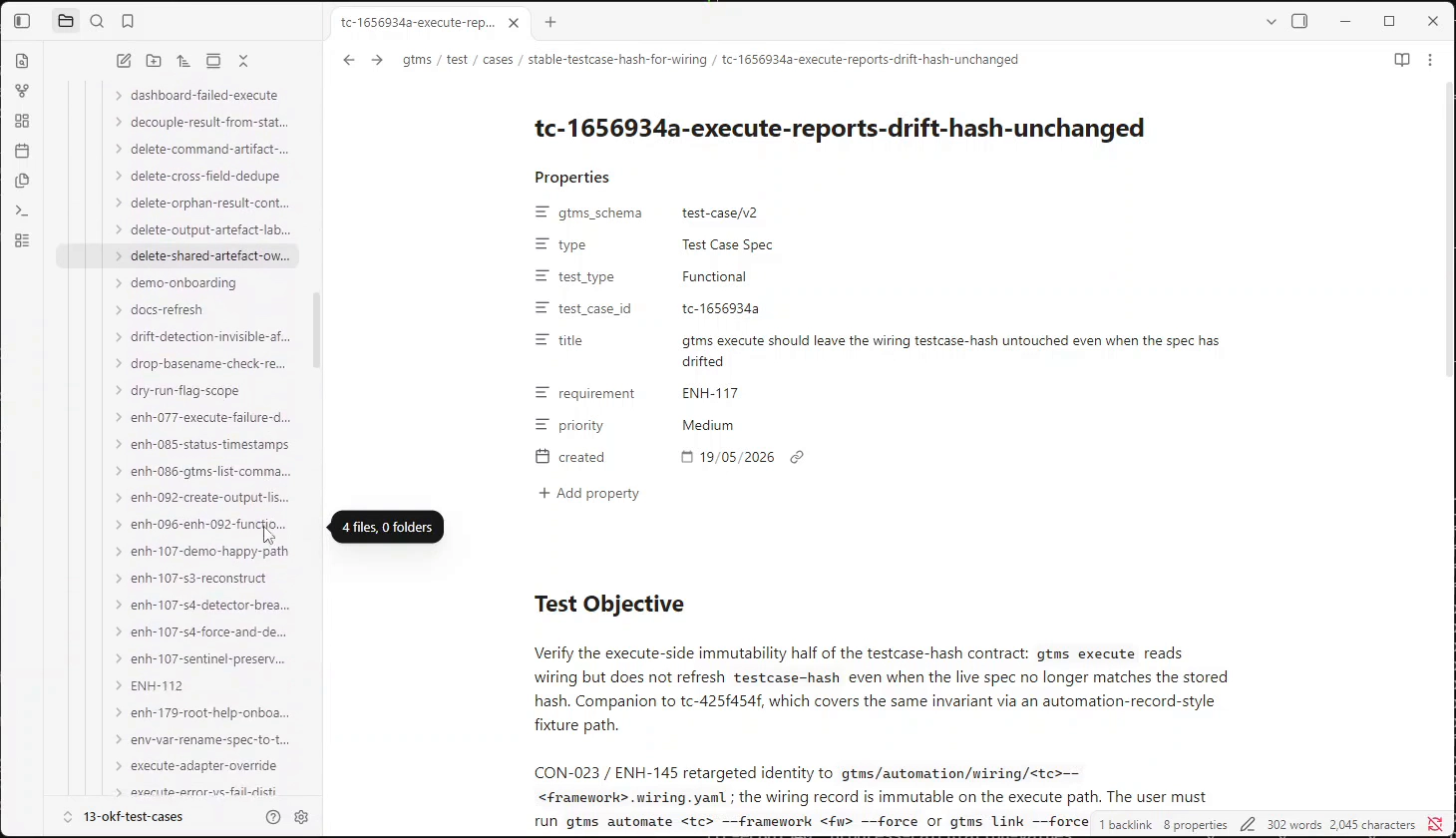
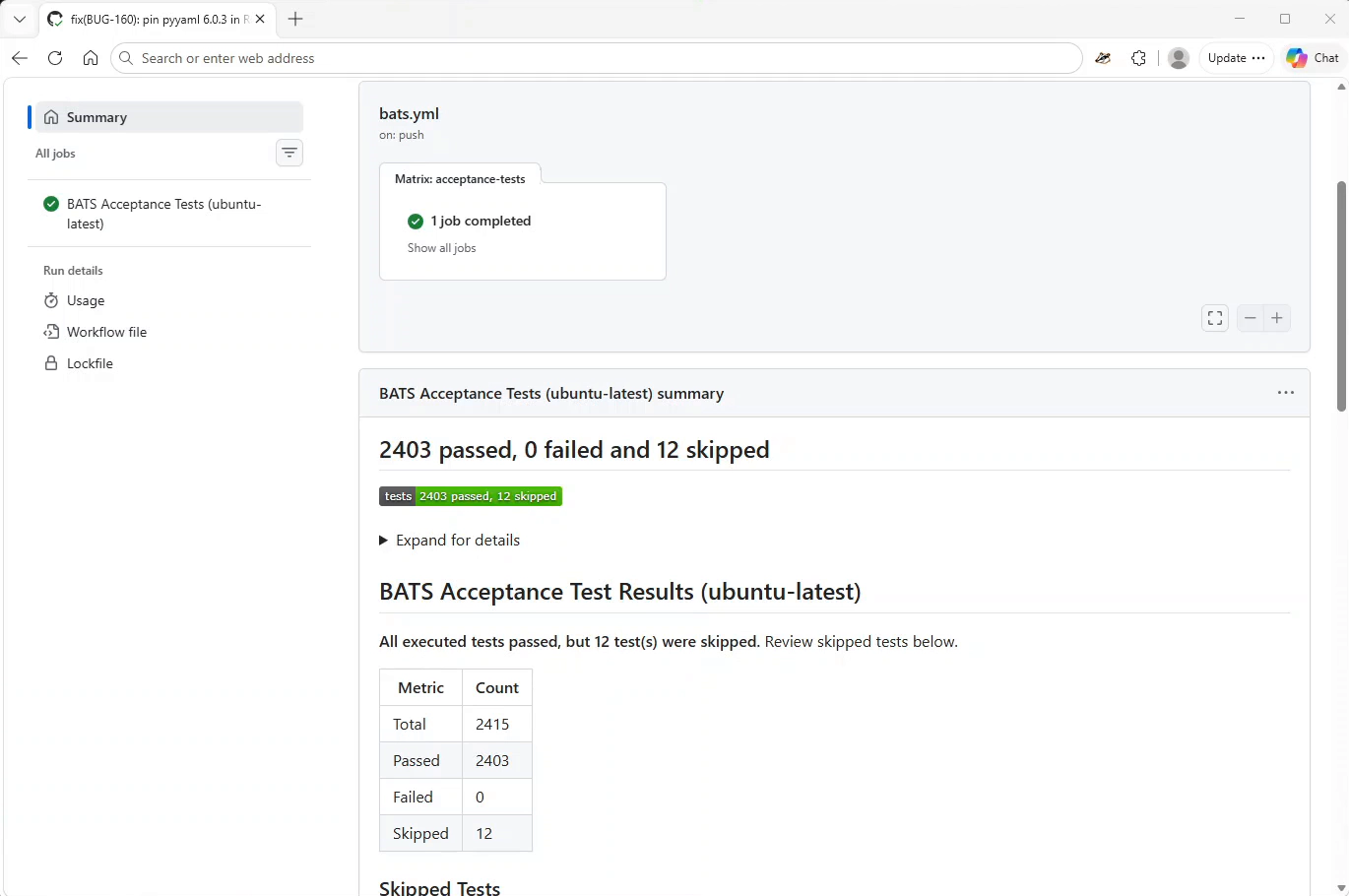
That’s one of GTMS’s own test cases. The same Markdown the agents wrote here. GTMS tests itself this way, with more than 2,400 of them.
When the tests are done, CI runs the scripts without GTMS. GTMS is how you develop and track the tests, not something your pipeline depends on.
You decide what gets tested. Agents do more of the testing. GTMS keeps control and keeps track.
Try it
GTMS is free and open source. Download v0.4.1, drop it into your project, and ask your agent to run gtms --help.
Previous in the series: Don’t Wait for CI: Test While Your AI Agent Still Has the Context