
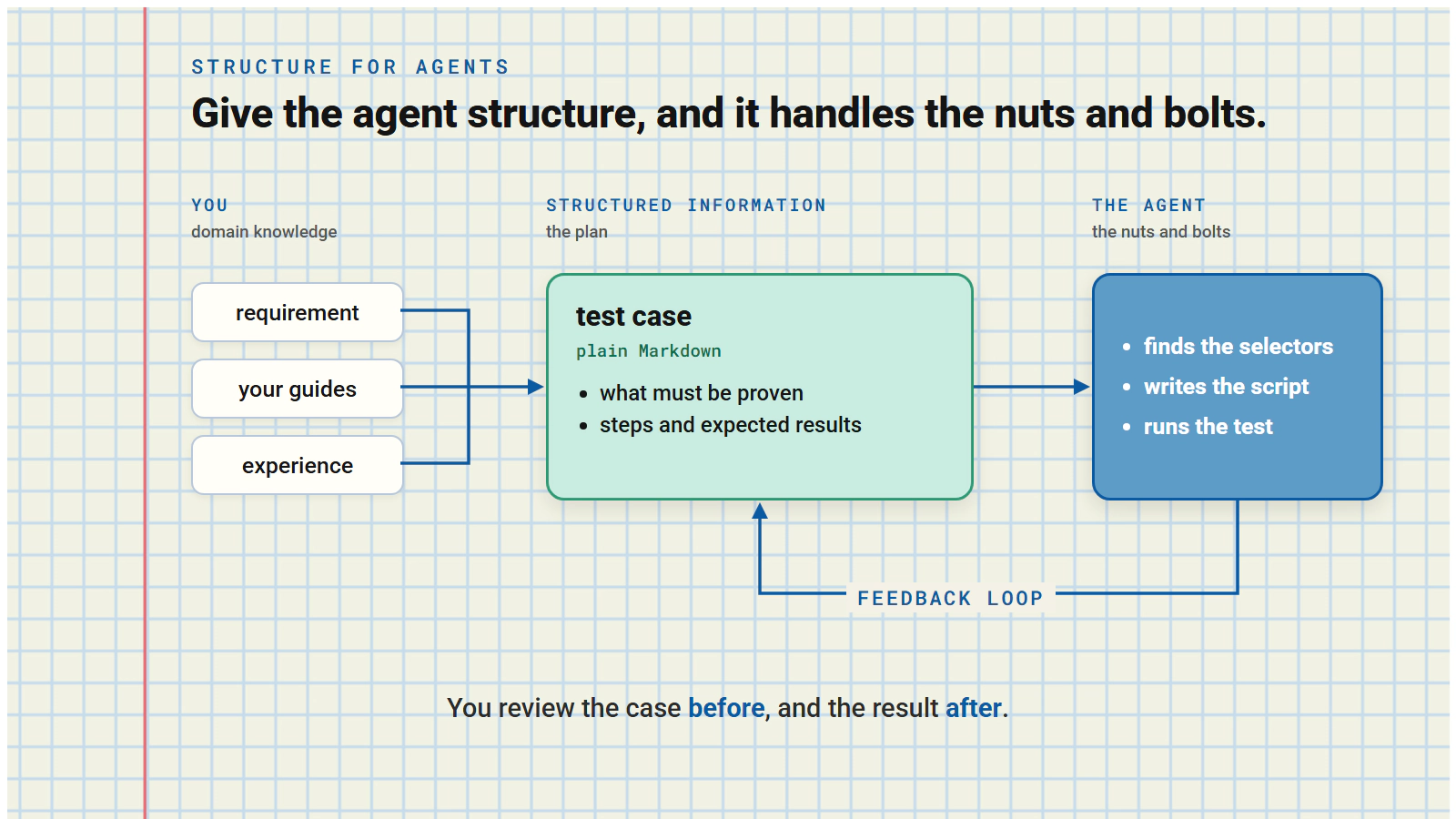
Test automation fascinates me. What I never liked, though, was the hours spent fiddling with selectors and working out the nuts and bolts just to get a script running. The architecture of automation frameworks, yes. The test design going into the automated tests, yes. The fiddling with flaky selectors …. NO!
The idea that changed it
Test-driven development has worked at the unit level for years. This approach was never going to work at the acceptance or integration test level though. You can’t write the test before the screen exists. You don’t know what the selectors will look like if there’s nothing to select yet.
AI and agents change that. They can write the test case from the requirement, then write the script once the code exists. They can do that in the same development loop as the code itself. As long as the automation scripts stay honest to the original test intent, you can leave the selector identification to the coding agent. Then you step back into the real job. Testing, with the domain knowledge only you have.
The challenge then became how to guide agents. More than this it actually becomes how to best structure information for agents so that they can deal with the nuts and bolts.
That’s what GTMS is built for. The video above follows one feature from a Jira story to a recorded test result in about six minutes.
What I came to discover, as I developed this process, is that CI was too late to run tests.
By the time CI fails, your agent has moved on
Yes, CI tells you something broke. Trouble is, it tells you long after the agent that broke it has finished. Its context has gone, and so has yours.
The answer is to test while the context is still live. Test in the same session, as the code is written.
And, critically, give your agent everything it needs to test:
- Information in a structured format
- Access to run tests
- Test results and completion data
Give your agent all of this and you see a real jump in the quality of your output.
There’s a big caveat, though.
Something that isn’t AI has to hold the facts
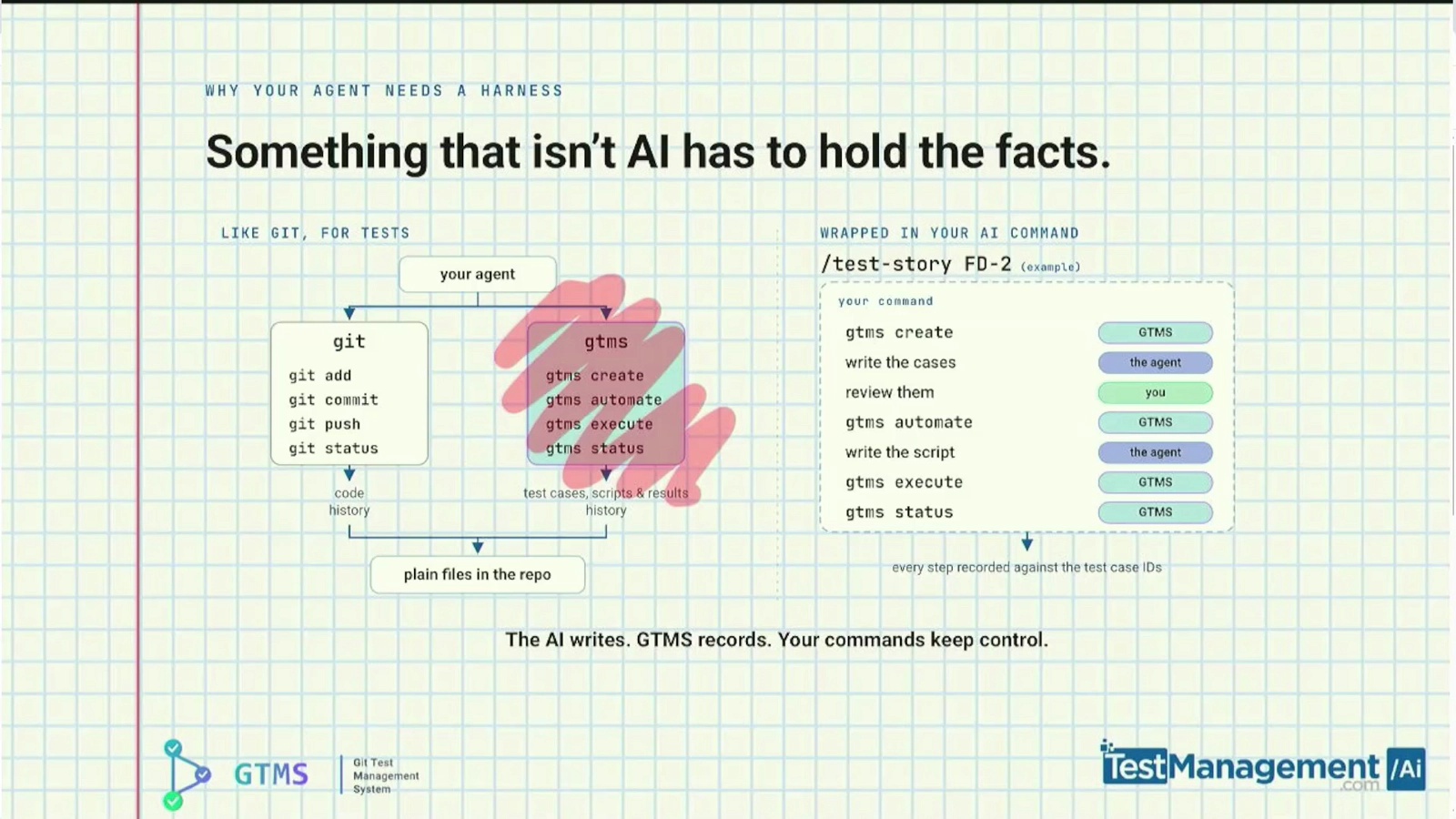
Agents work well with git because git gives them fixed commands and plain files. GTMS does the same for tests: gtms create, automate, execute and status. You wrap your own AI commands around them.
The agent writes. You review. GTMS records every step.
Your agent forgets. Your test cases don’t.
It’s the plan, implement, verify loop the guides to coding with agents recommend, applied to tests. The test case is the plan. The script implements it. Execution and your review verify it.
One feature, from Jira story to recorded result
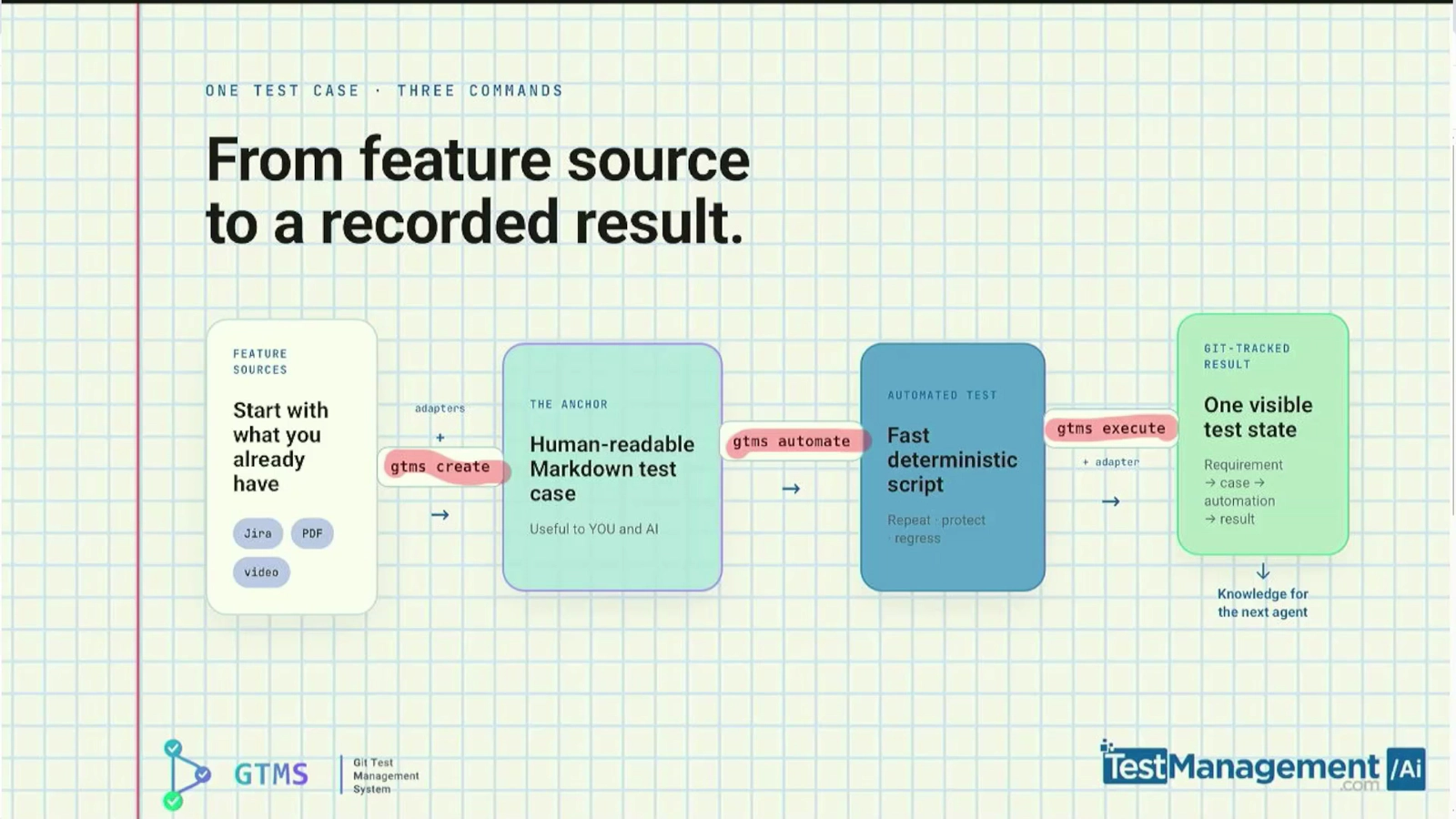
Create
Create your test cases through a GTMS adapter connected to your own source. In this example, it’s Jira:
gtms create fd-2-emergency-fund --reference FD-2 --adapter jira-fetch-create
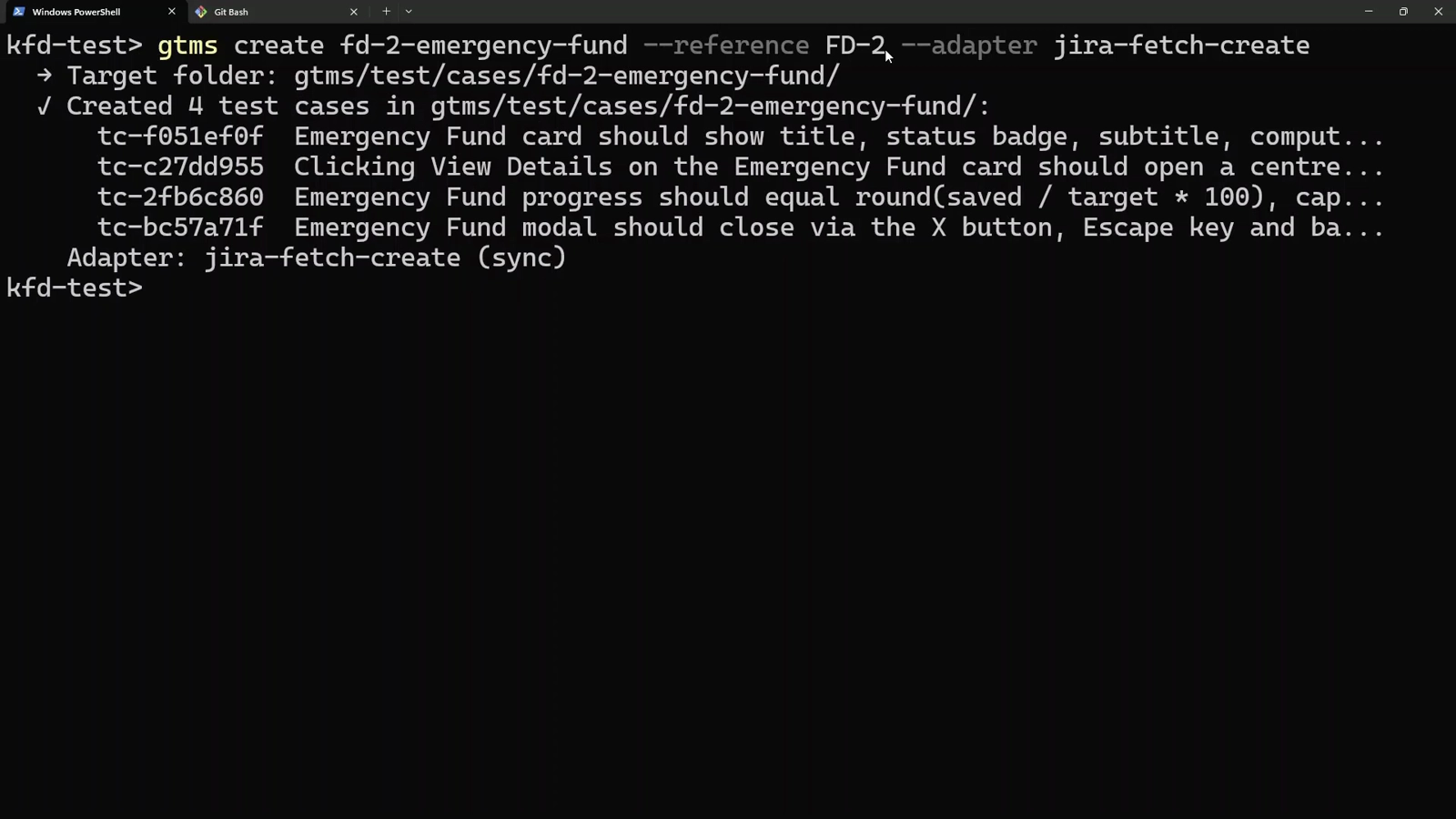
GTMS fetches the story through an adapter and writes four test cases, each with its own ID. That jira-fetch-create adapter is one I wrote for this project. GTMS lets you plug in your own sources.
The test case is your anchor
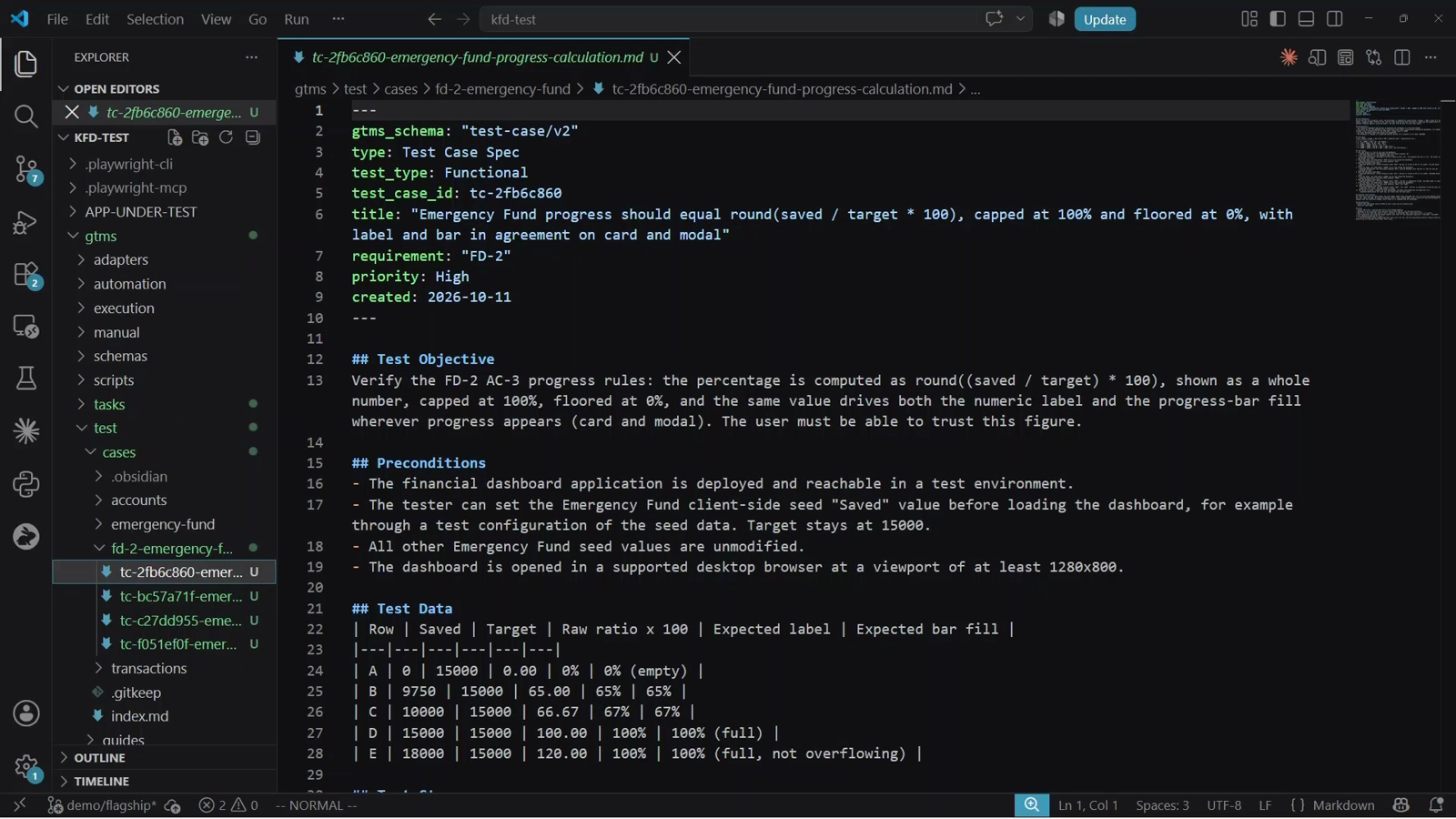
Each test case is plain Markdown in your repo. The code will change and the automation will mature, but the test case stays the same.
It’s your review point before anything runs it. Later, it’s what you check the automation script against.
Automate
gtms automate tc-f051ef0f --framework playwright
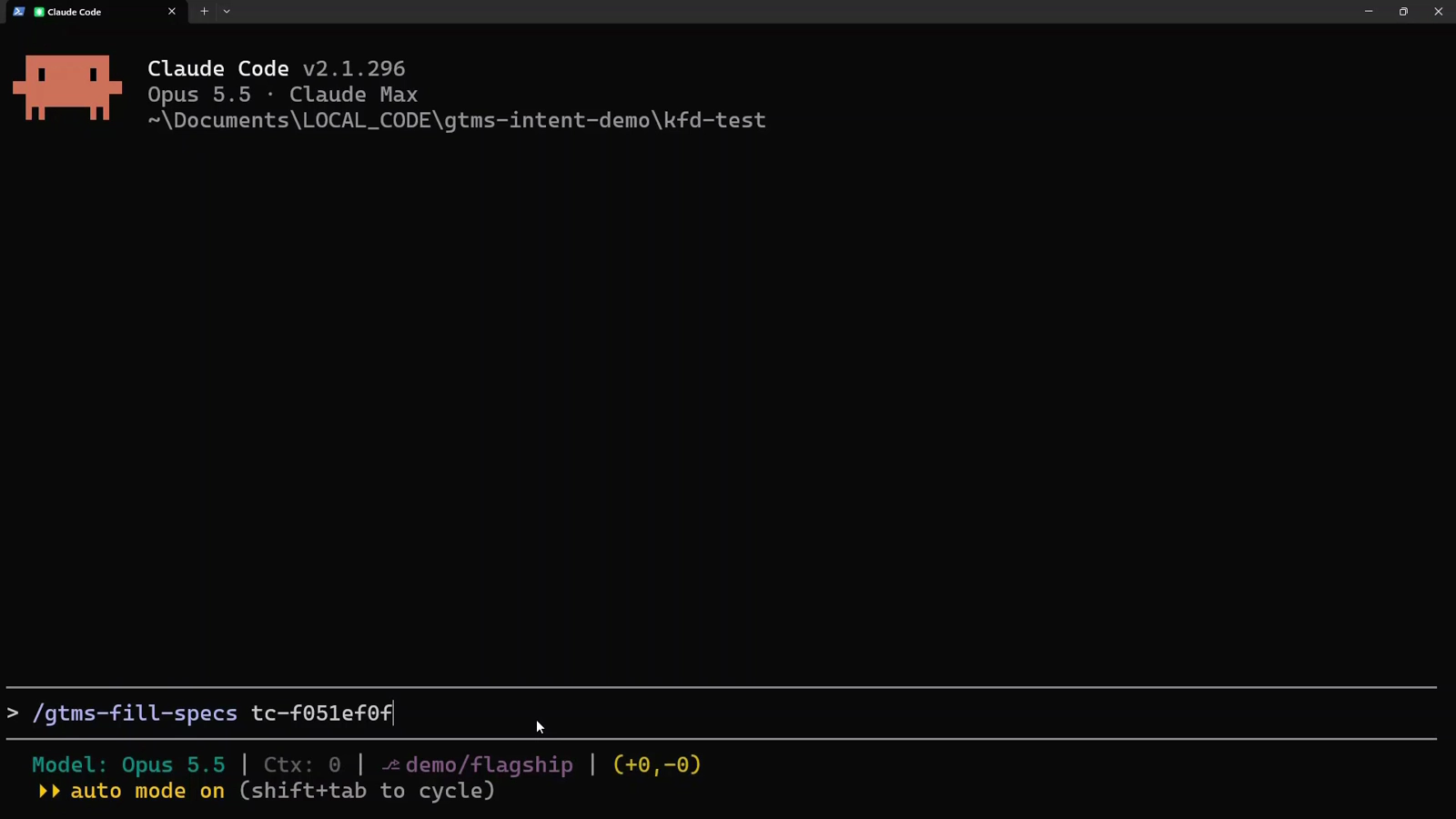
gtms automate stamps an empty Playwright script (pick your own test automation tool if you’re not using Playwright) and links it to the test case. Then my own agent command, /gtms-fill-specs, has the agent write the script from the test case.
Execute
gtms execute tc-f051ef0f
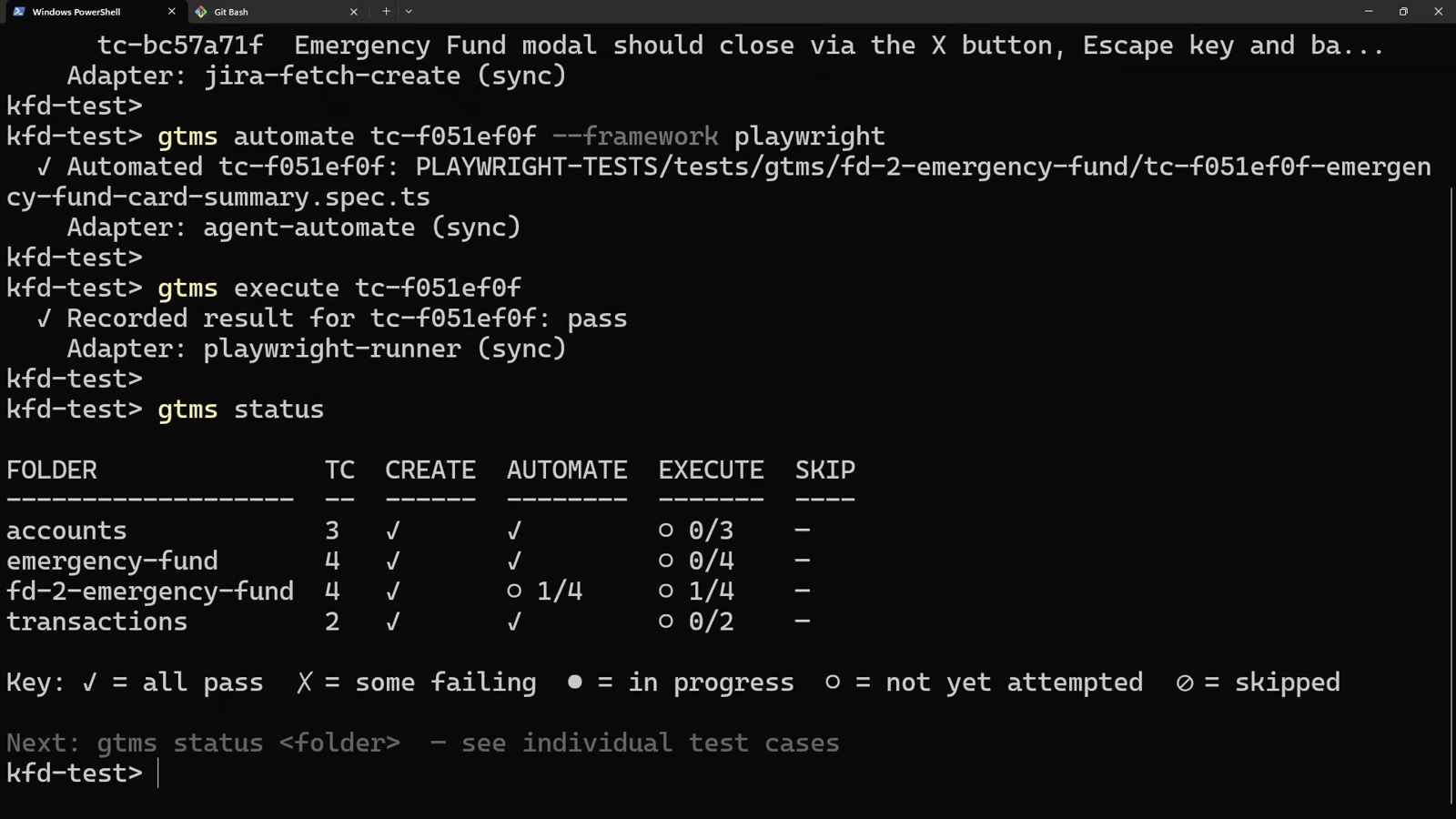
Playwright runs the test. GTMS records the result against the test case. Here, it’s a pass. gtms status then shows every folder at a glance.
That’s traceability from creation to scripting to execution, visible to you and to your agent.
Every change leaves tests behind

Each testing round adds to a regression pack your agent can run in later iterations, while it still has the context, long before CI.
This graph is GTMS’s own. More than two thousand test cases, built the same way, for GTMS itself.
Choosing which of them to run for a given change is a command you write for your own project. GTMS keeps the repository, so your agent can choose the regression tests it needs.
Try it
GTMS is free and open source. Download v0.4.0, drop it into your project, and ask your agent to run gtms --help.